
Help Center > Competitive Market Analysis > How to Edit the Competitive Market Analysis Cover Page
How to Edit the Competitive Market Analysis Cover Page
The standard cover page shows the property address and the customer name you provided in the report details. To change either of those details you’ll need to Edit the Report Details, however there is another area that you can edit on the cover page that gives you more control over the Agent Information and format.
First you’ll need to open the Edit Cover Page step, you will need to scroll all the way to the bottom of the sidebar to find it.
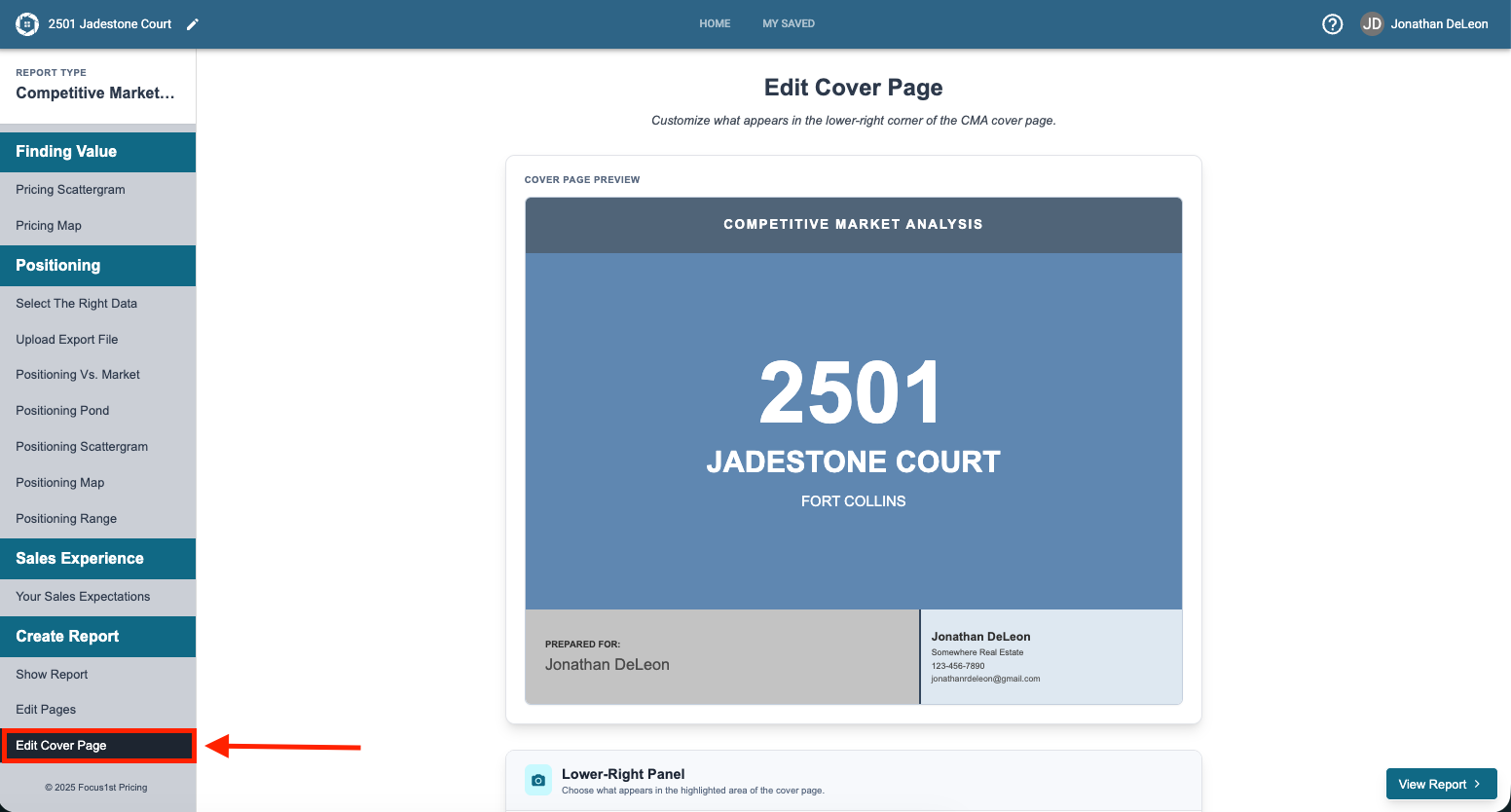
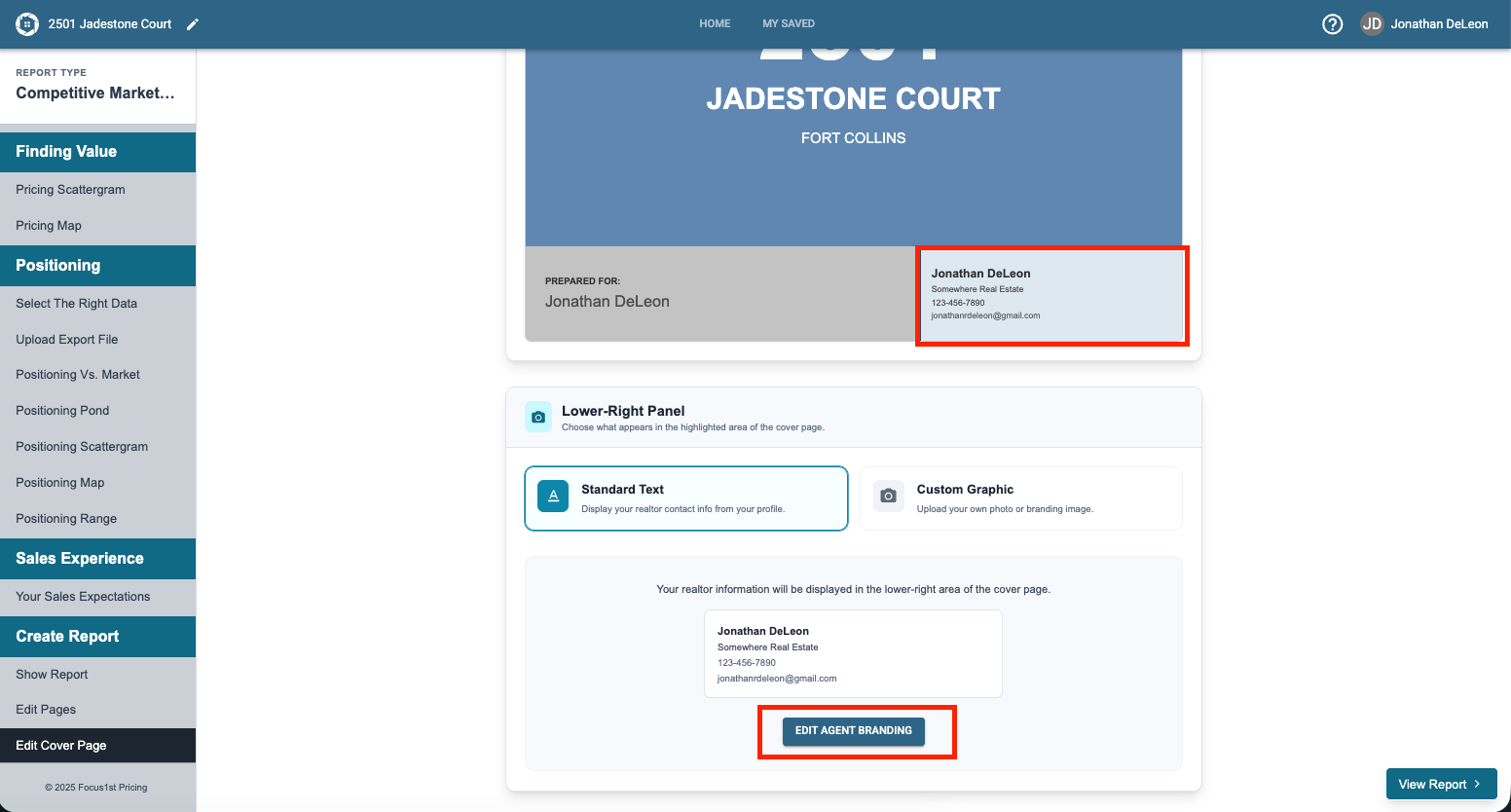
The bottom right corner has your Agent Branding information as standard. You can change this or upload a custom image to replace it as desired. To change the Agent Branding information you can click the button Edit Agent Branding.
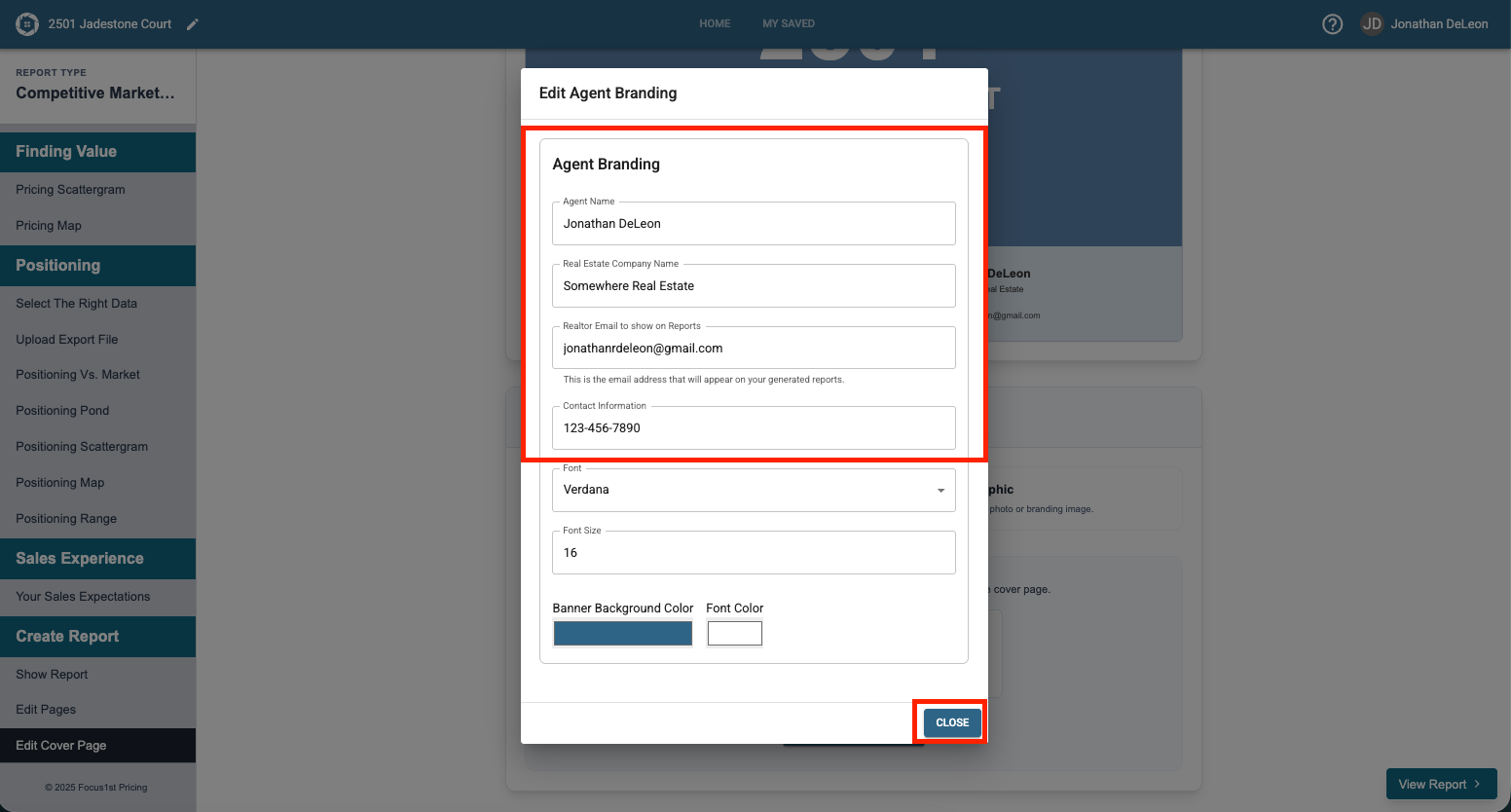
Change your Agent Branding as desired and click Close.
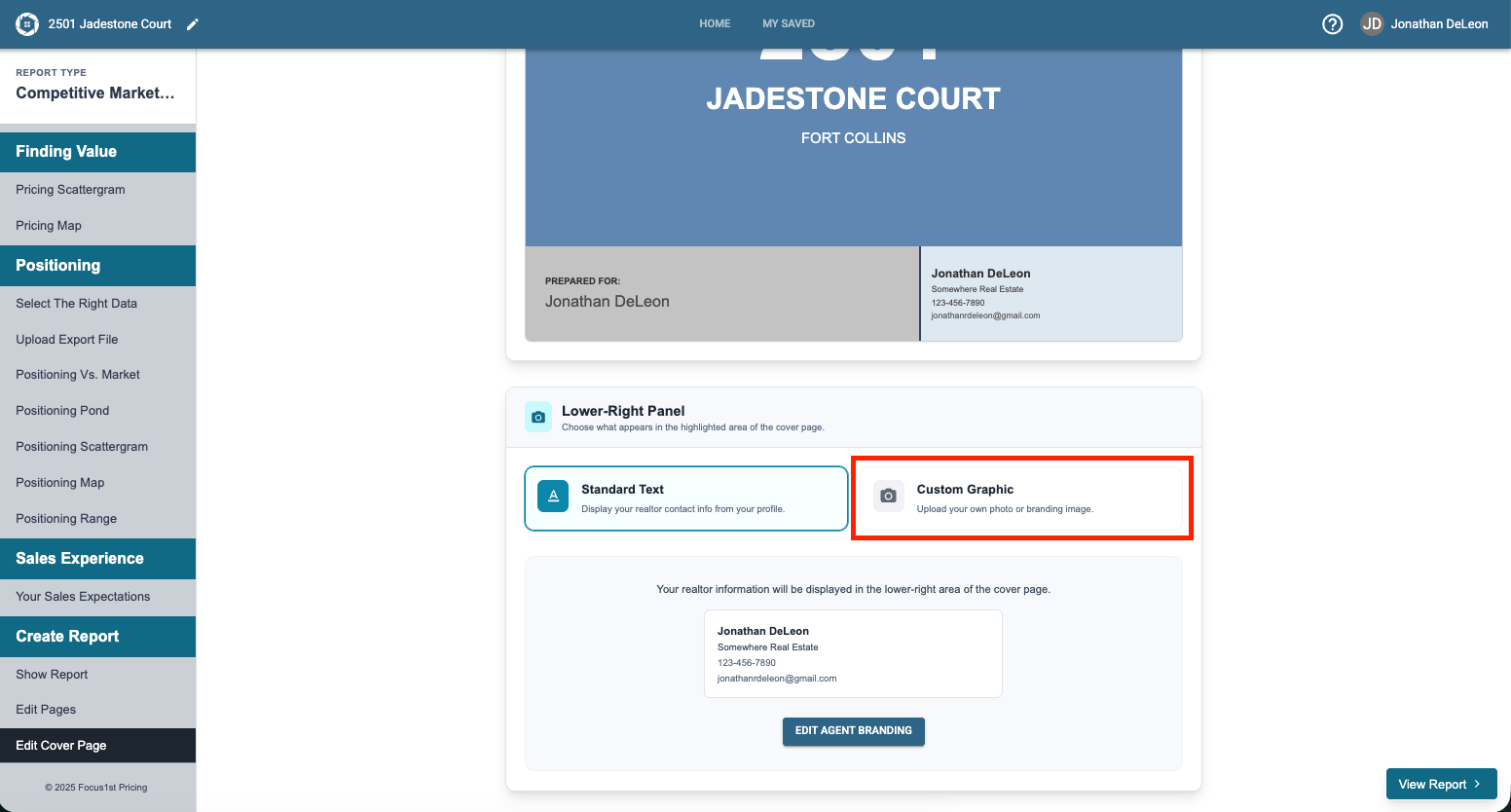
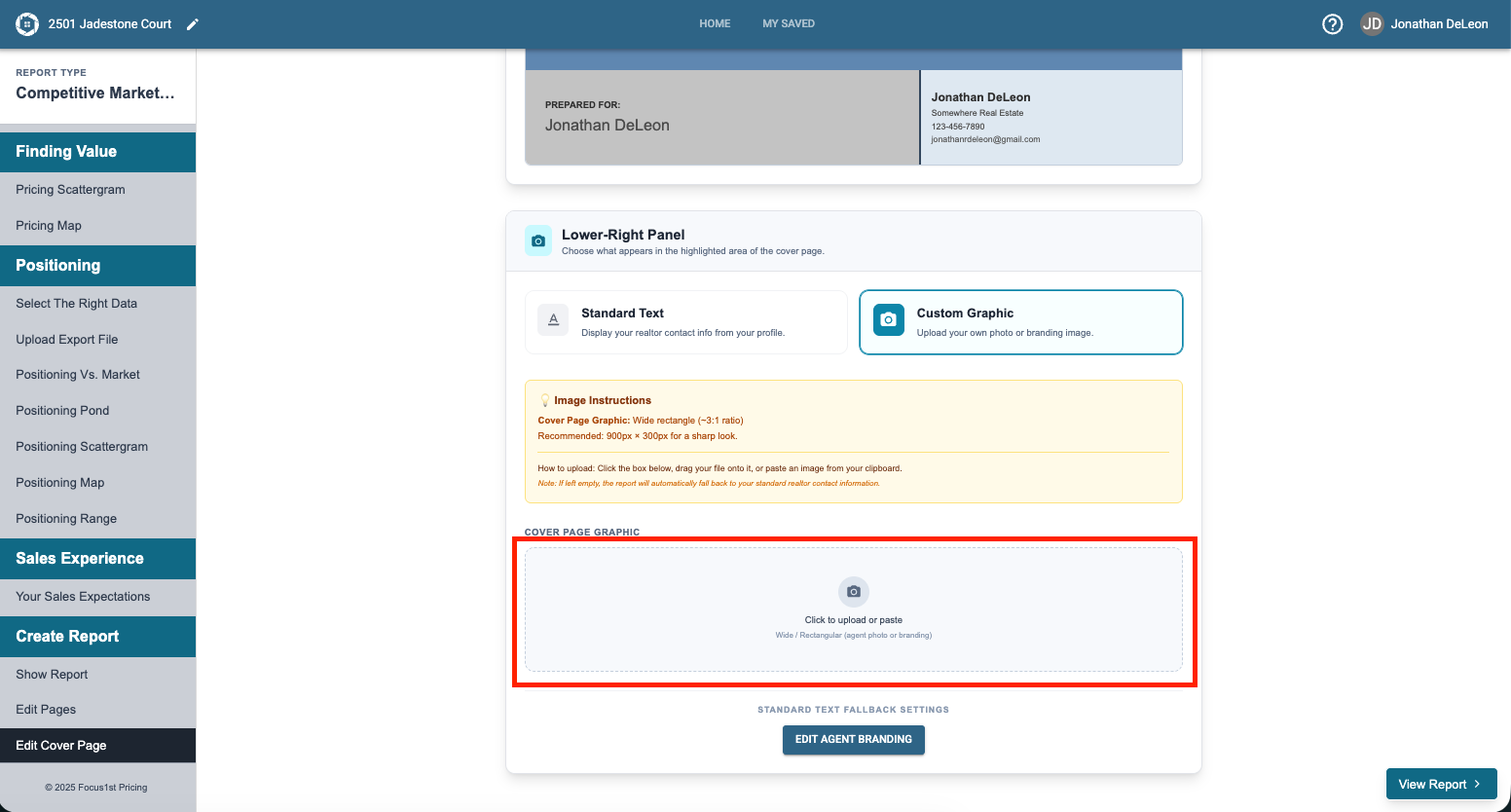
To upload a custom graphic, click the Custom Graphic button first.
Then click to upload a new graphic.
If you need help understanding how custom graphics work, see this instruction here.
What’s Controlled by Report Details
How to Change Agent Branding
How to Find the Custom Graphic Option