
Help Center > Competitive Market Analysis > How to Edit Report Competitive Market Analysis Details
How to Edit Report Competitive Market Analysis Details
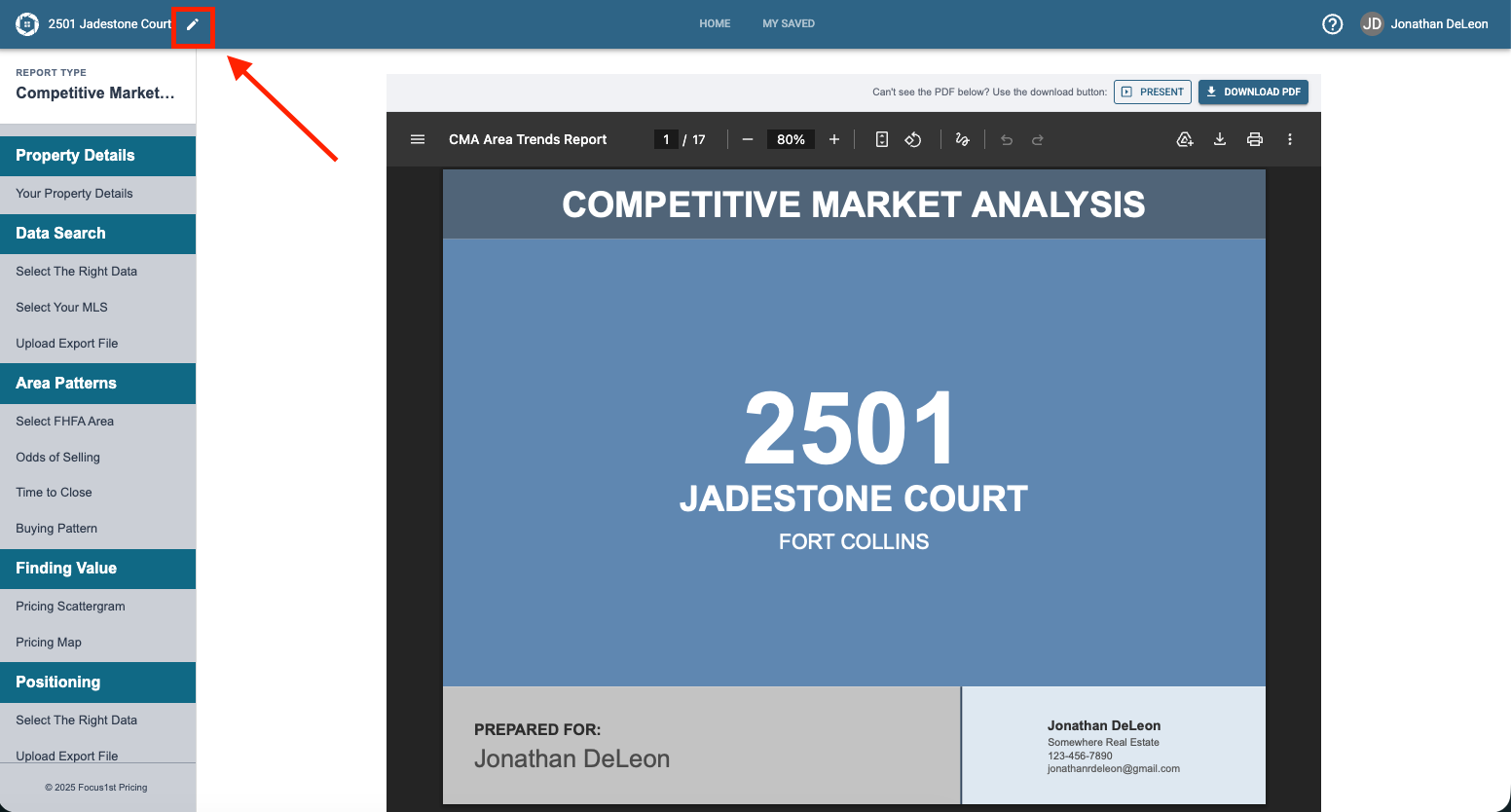
If you need to change some of the main details of your Competitive Market Analysis report file you can do so in two ways, depending if the report is open or if you’re looking at the title card.
If your report is open, click the pencil icon in the top left.
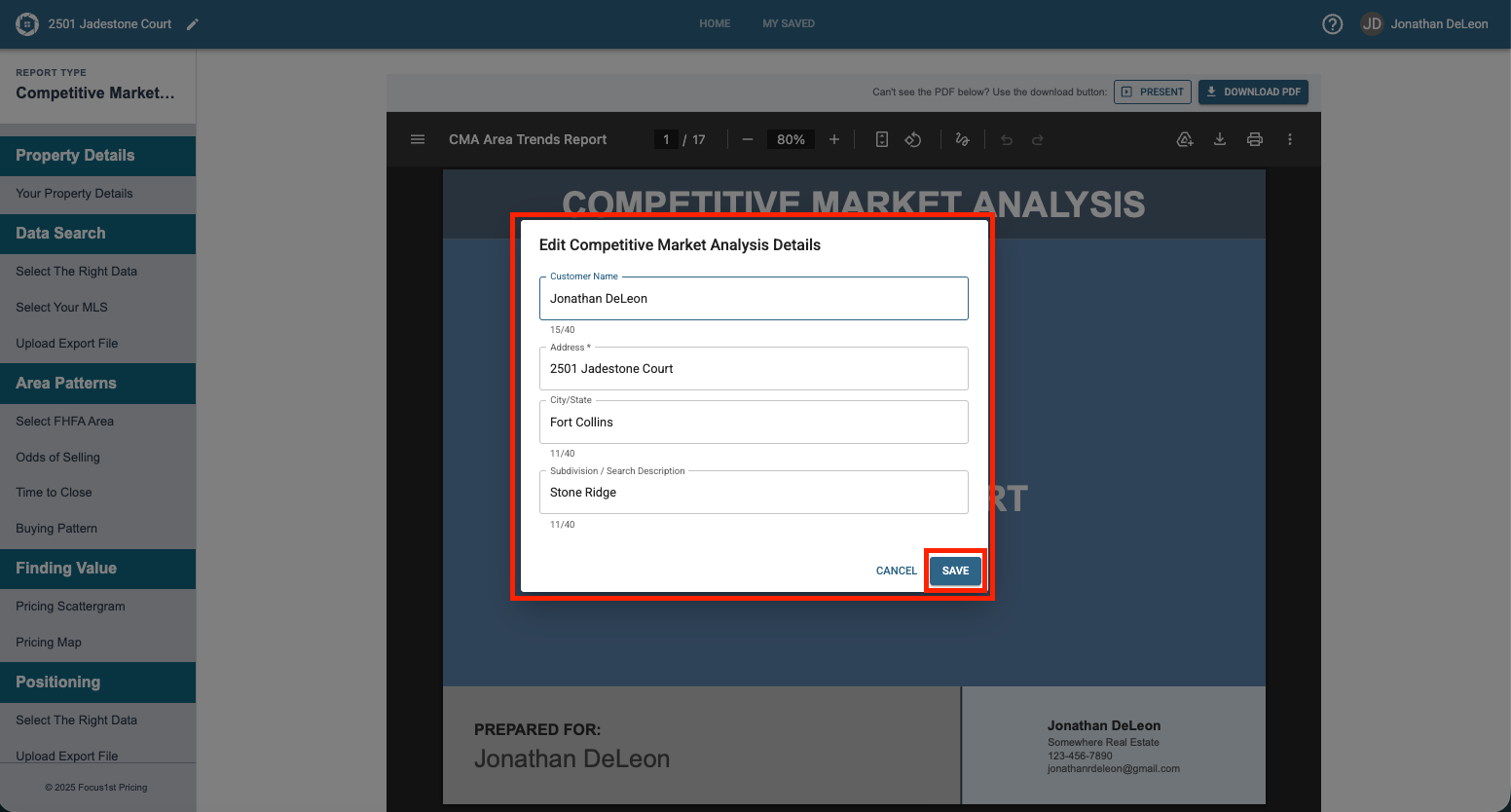
Enter your new details and click Save.
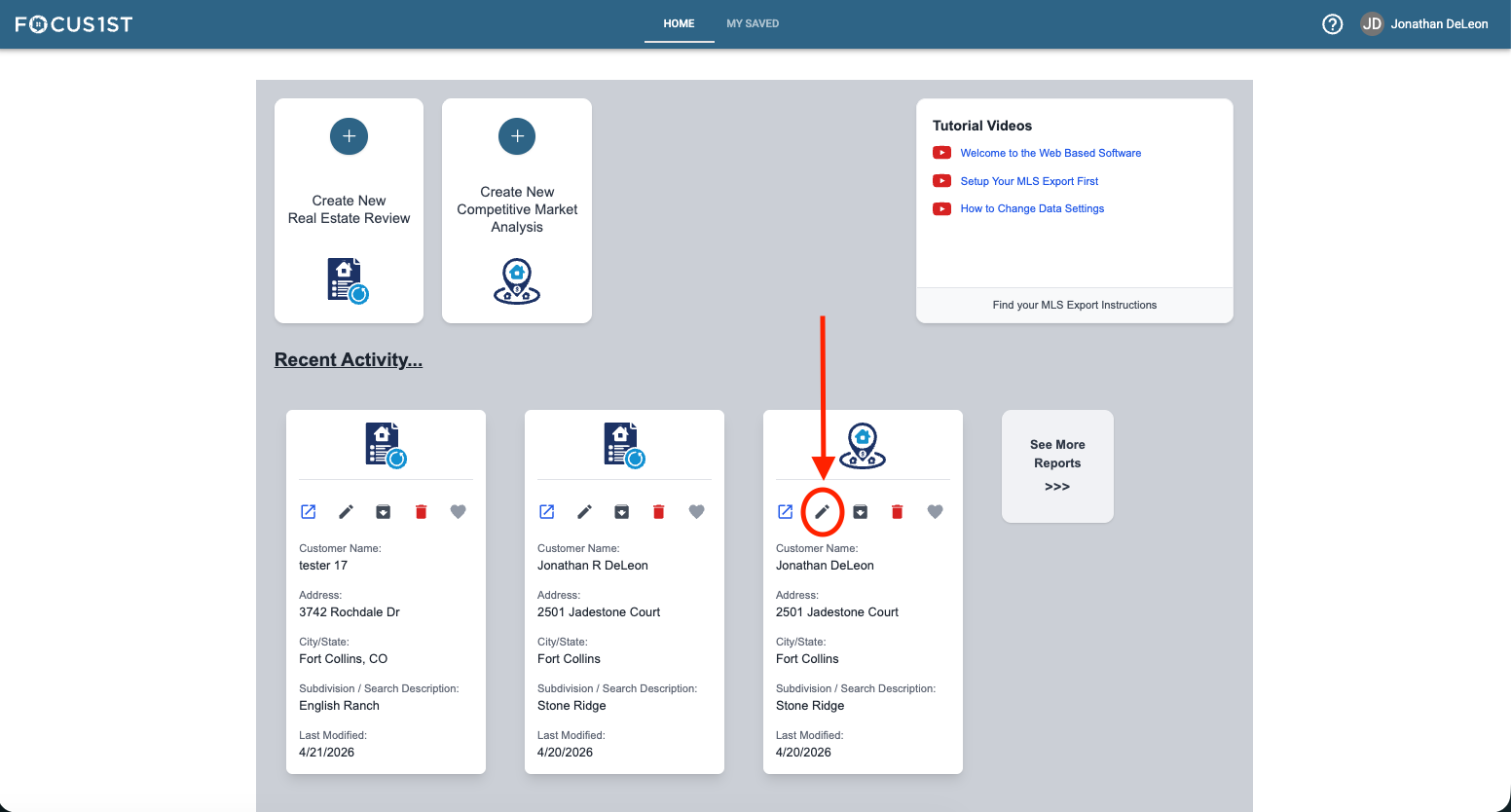
If you report is not open, find the Title card either in the recent files or the My Saved area and click the pencil icon on the row of controls on the card itself.
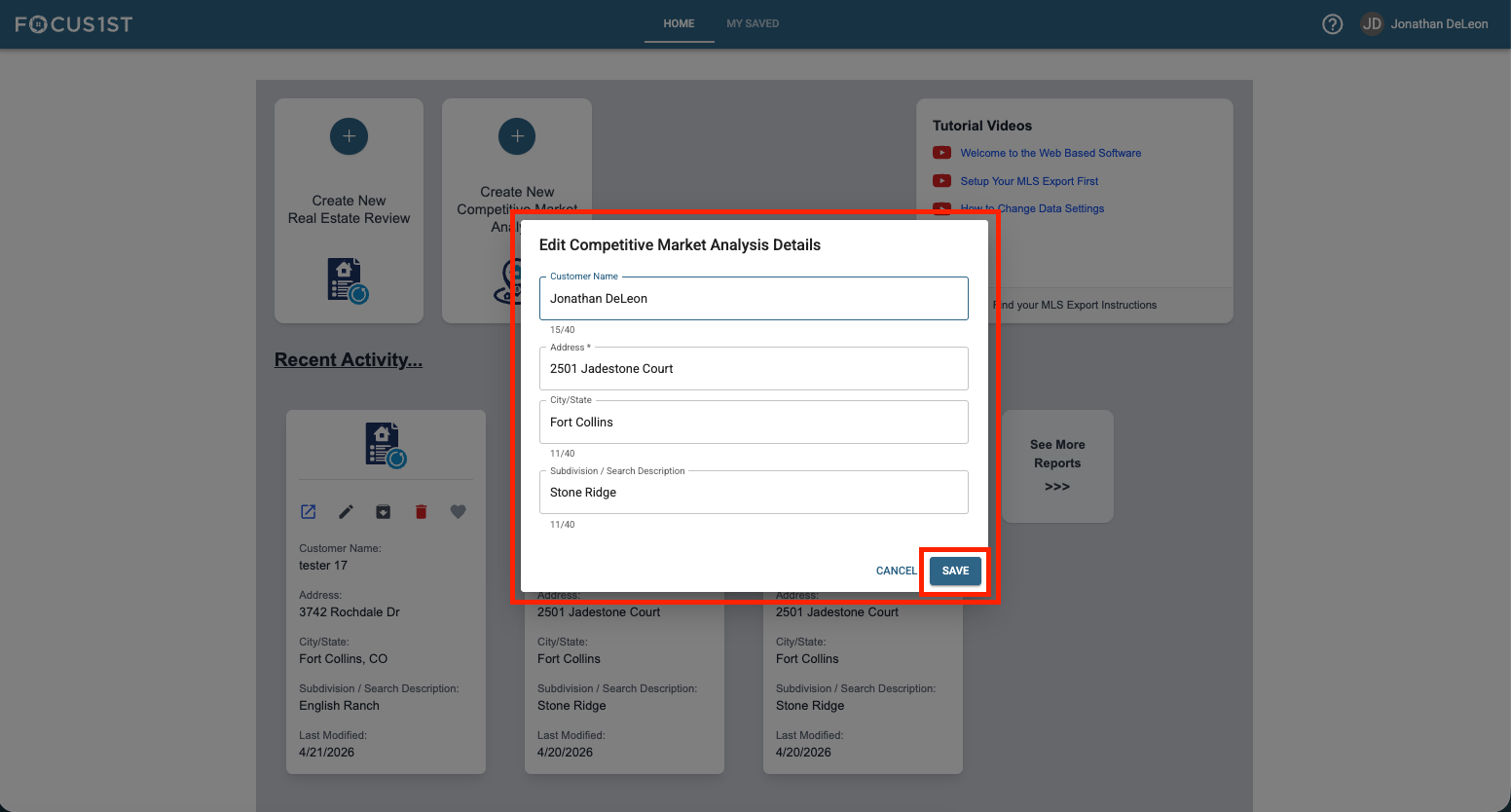
Enter your new details and click Save.
Report Open Edit Details Location
Report Title Card Edit Details Location