
Help Center > System Settings > How to Choose the Changeover Month for Data
How to Choose the Changeover Month for Data
The changeover month tells the software when to switch data treatment from last year to this current year in some aspects in the patterning. The default is June as halfway through the year is usually enough sales and data to account correctly. However if your market has little to no sales in the first half of the year you may want to change that changeover to July or later. If your market is super active you may want to switch it earlier. We don’t recommend changing this setting unless your area standard, but give you that choice.
To change this setting:
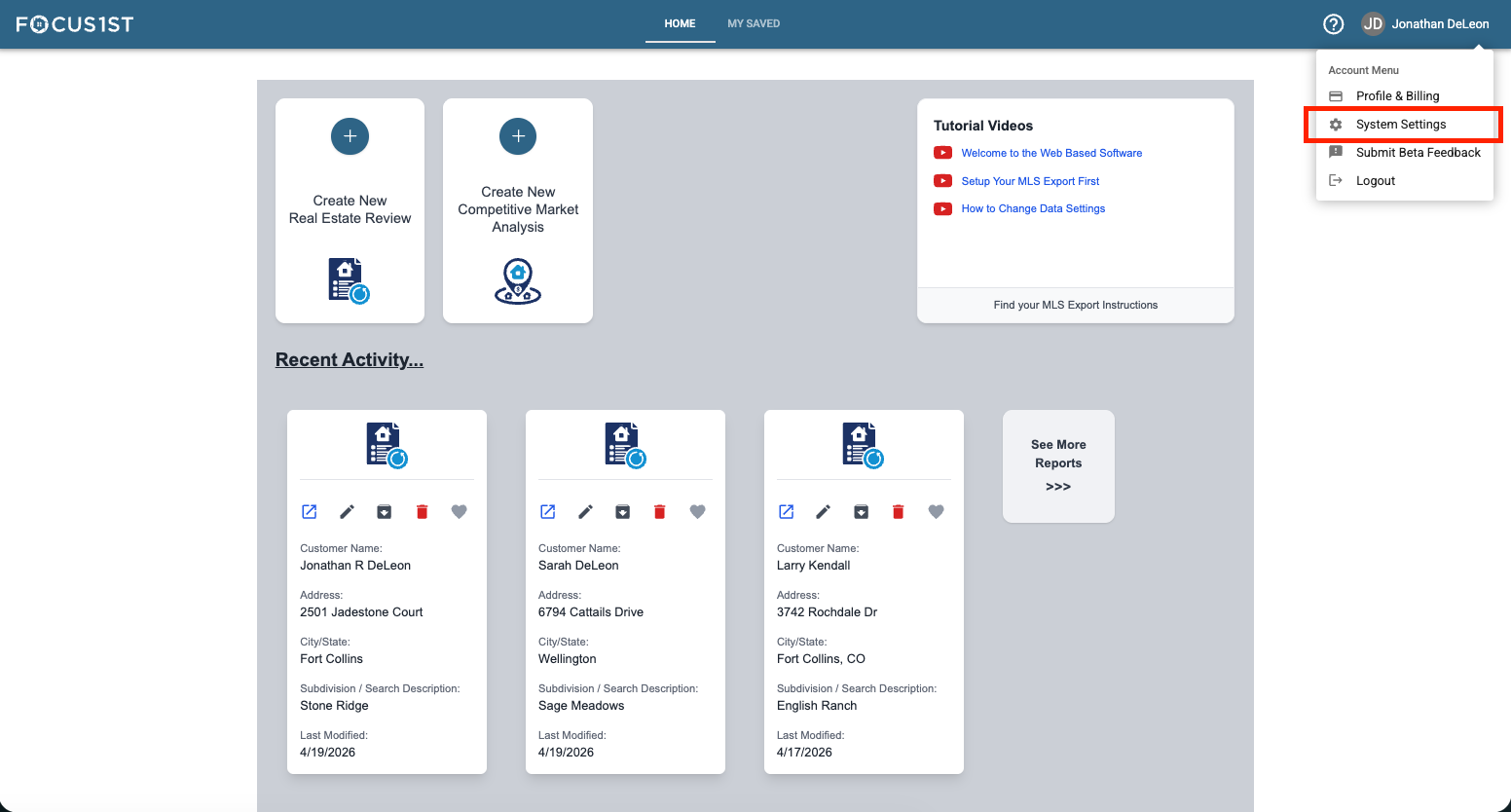
Open your settings menu using the dropdown, clicking your name then the option “System Settings.”
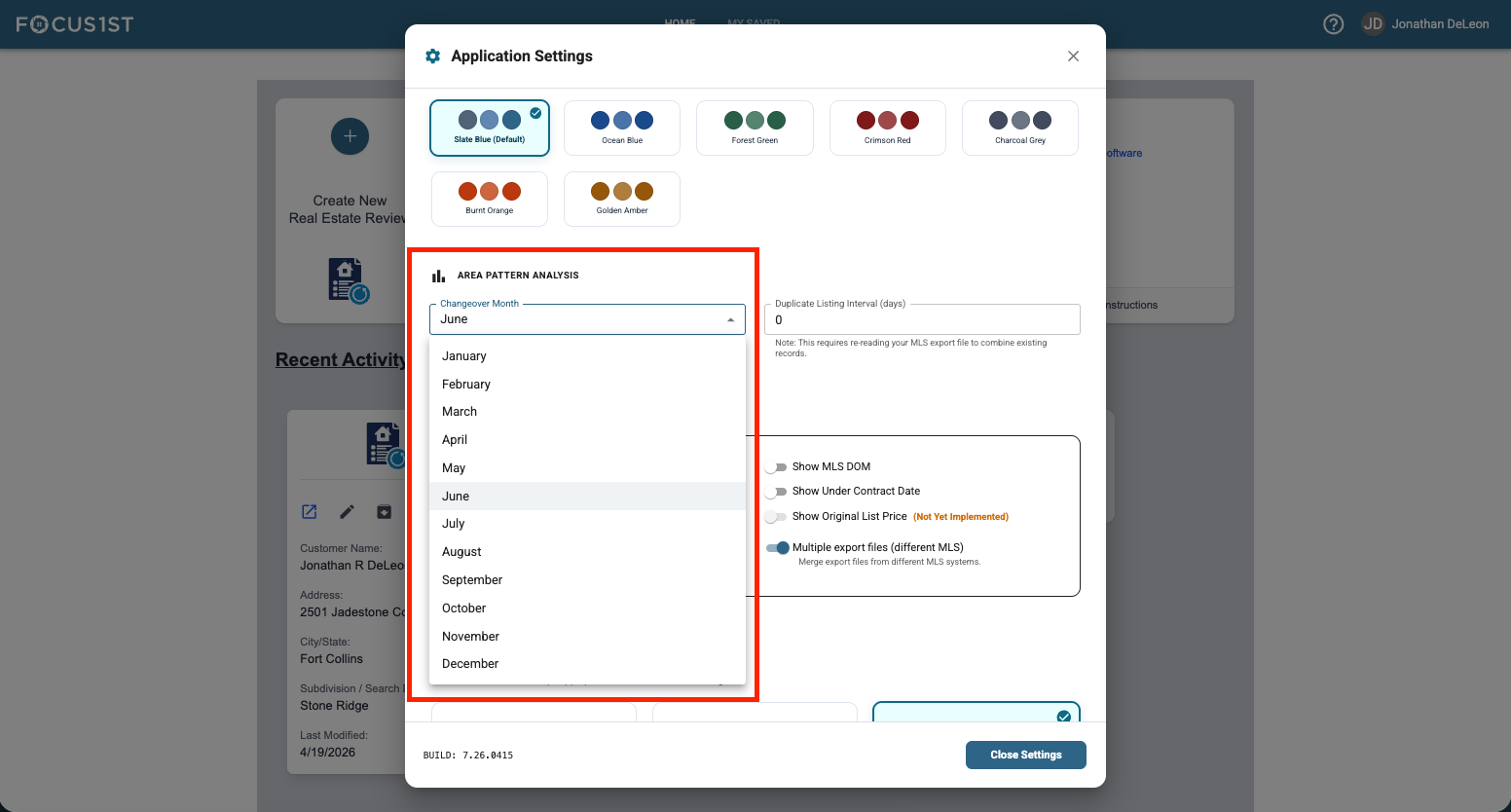
Click in the dropdown box under the pattern analysis section, with the top line header of "Changeover Month” and select the month you wish to use. The new selection is automatically saved. NOTE: This will change how data is treated in all reports, including past ones so if you see differences in the Odds of Selling or Time to Close in a past report, this new changeover month is why.
Open System Settings
Select Month in Dropdown