
Help Center > System Settings > How to Change the Pond Period Settings
How to Change the Pond Period Settings
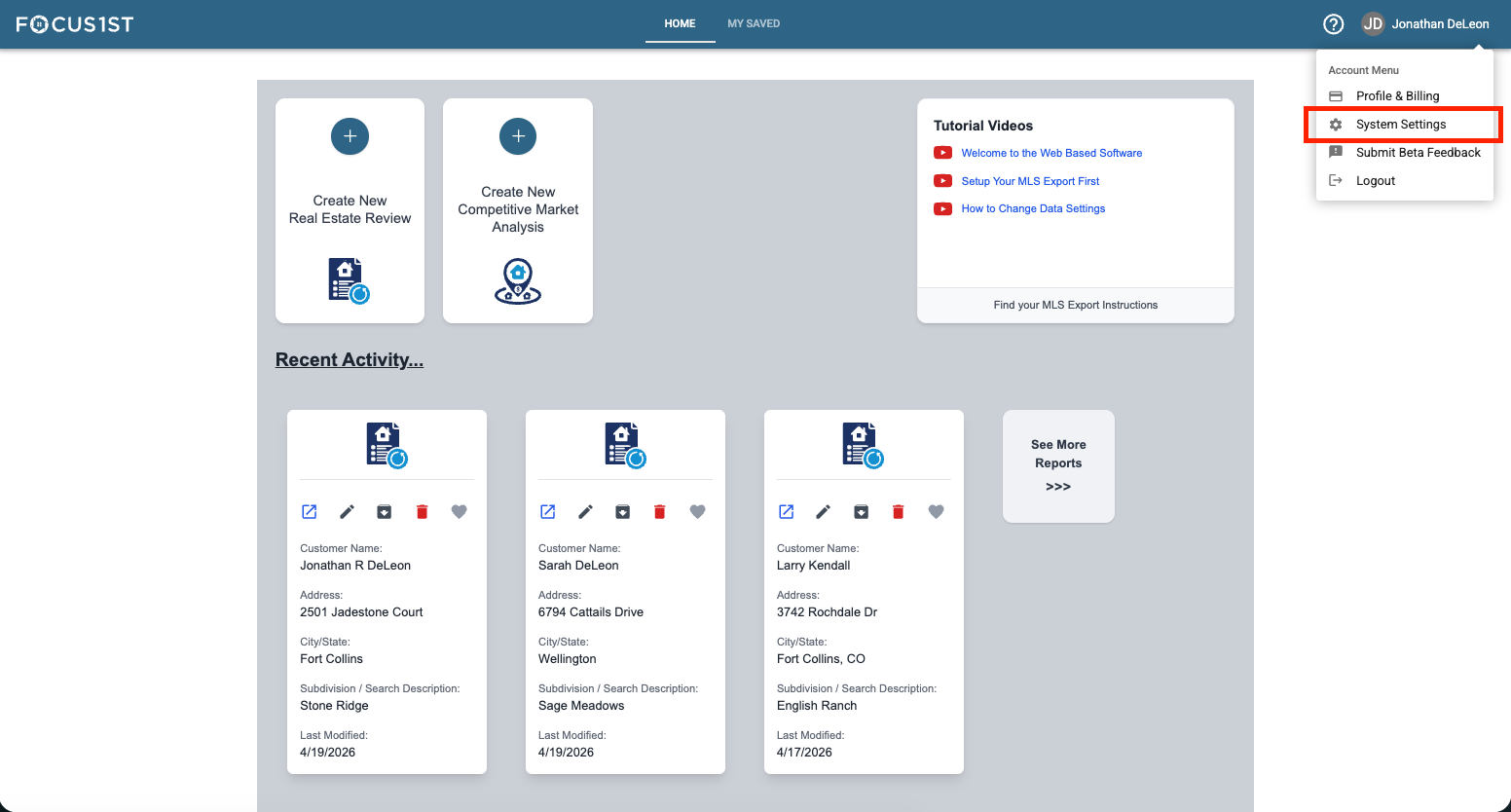
Open your settings menu using the dropdown, clicking your name then the option “System Settings.”
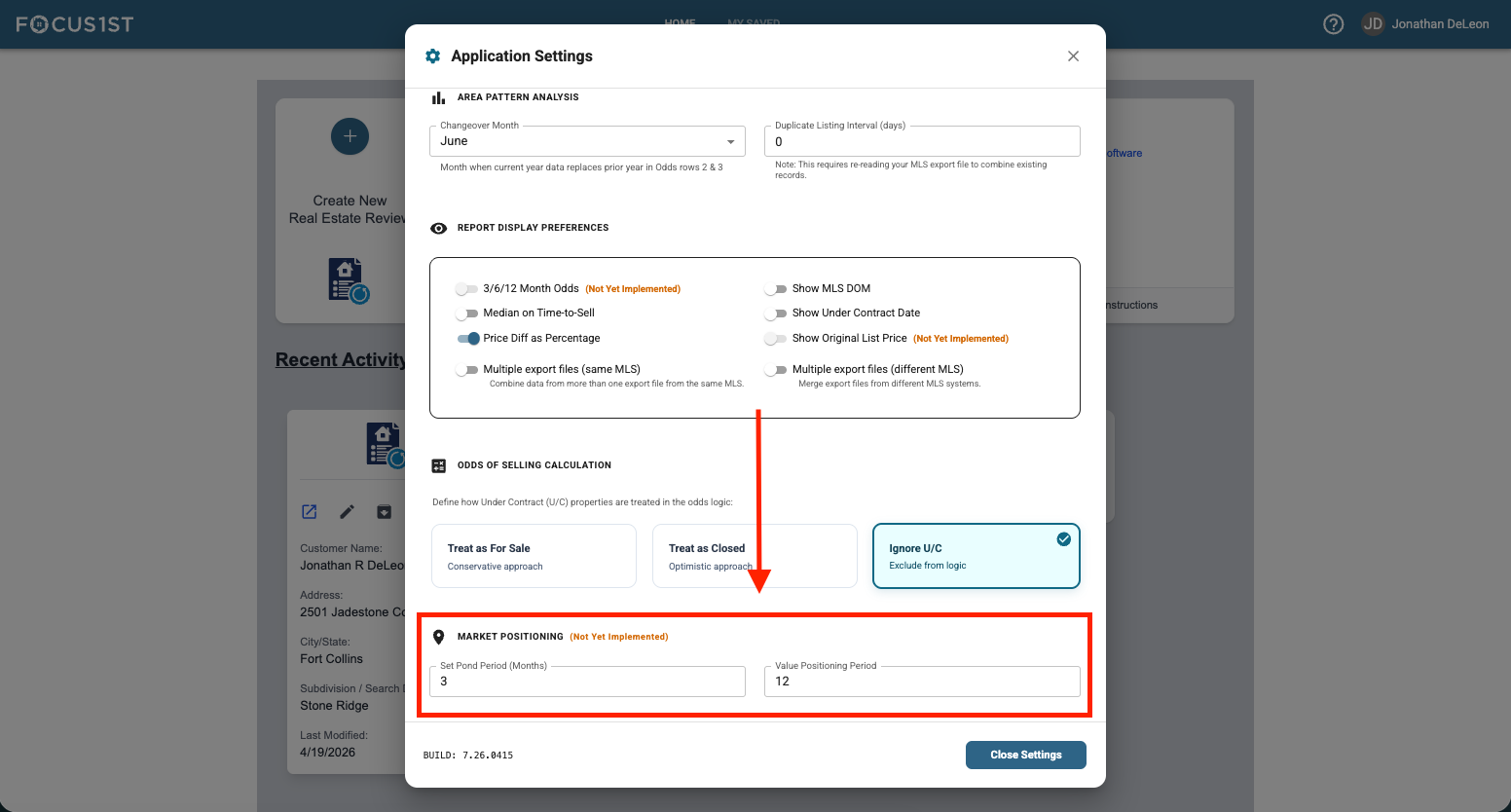
Scroll to the Market Positioning Section.
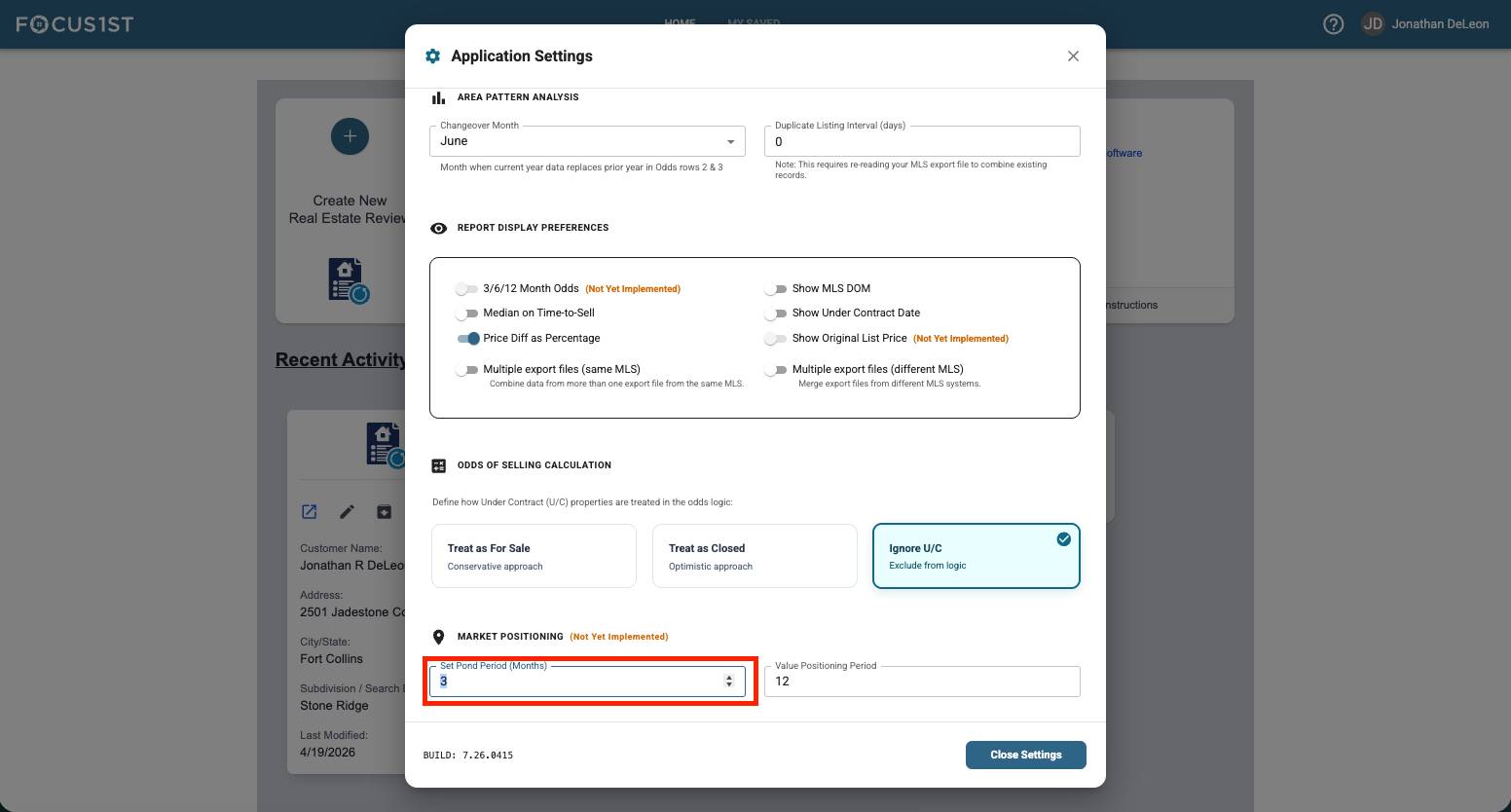
Put in your custom Pond Periods in months.
Open System Settings
Scroll To Market Positioning
Input Custom Months #