
Help Center > System Settings > How Can I Change Time to Close Data Settings?
How Can I Change Time to Close Data Settings?
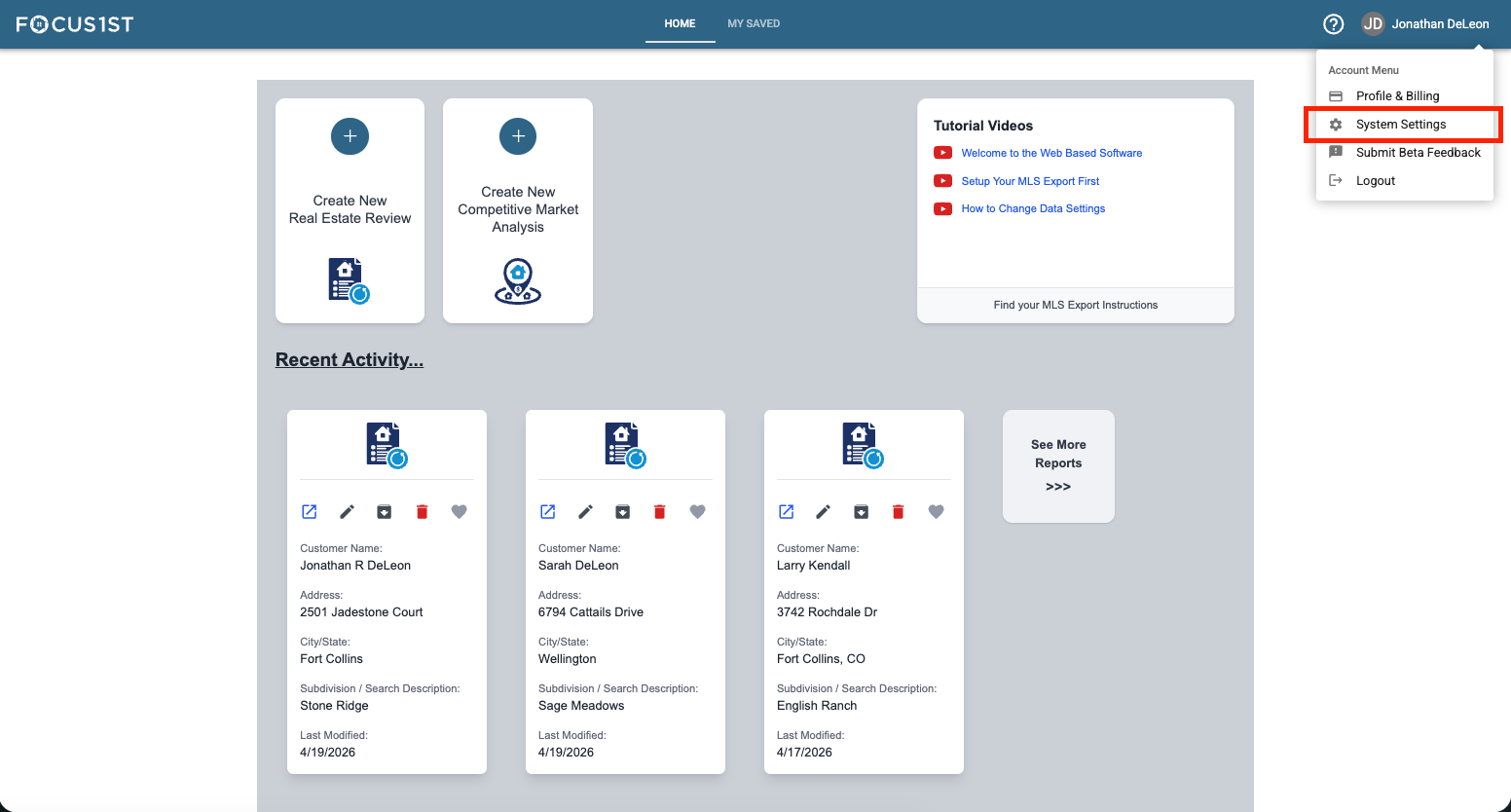
Open your settings menu using the dropdown, clicking your name then the option “System Settings.”
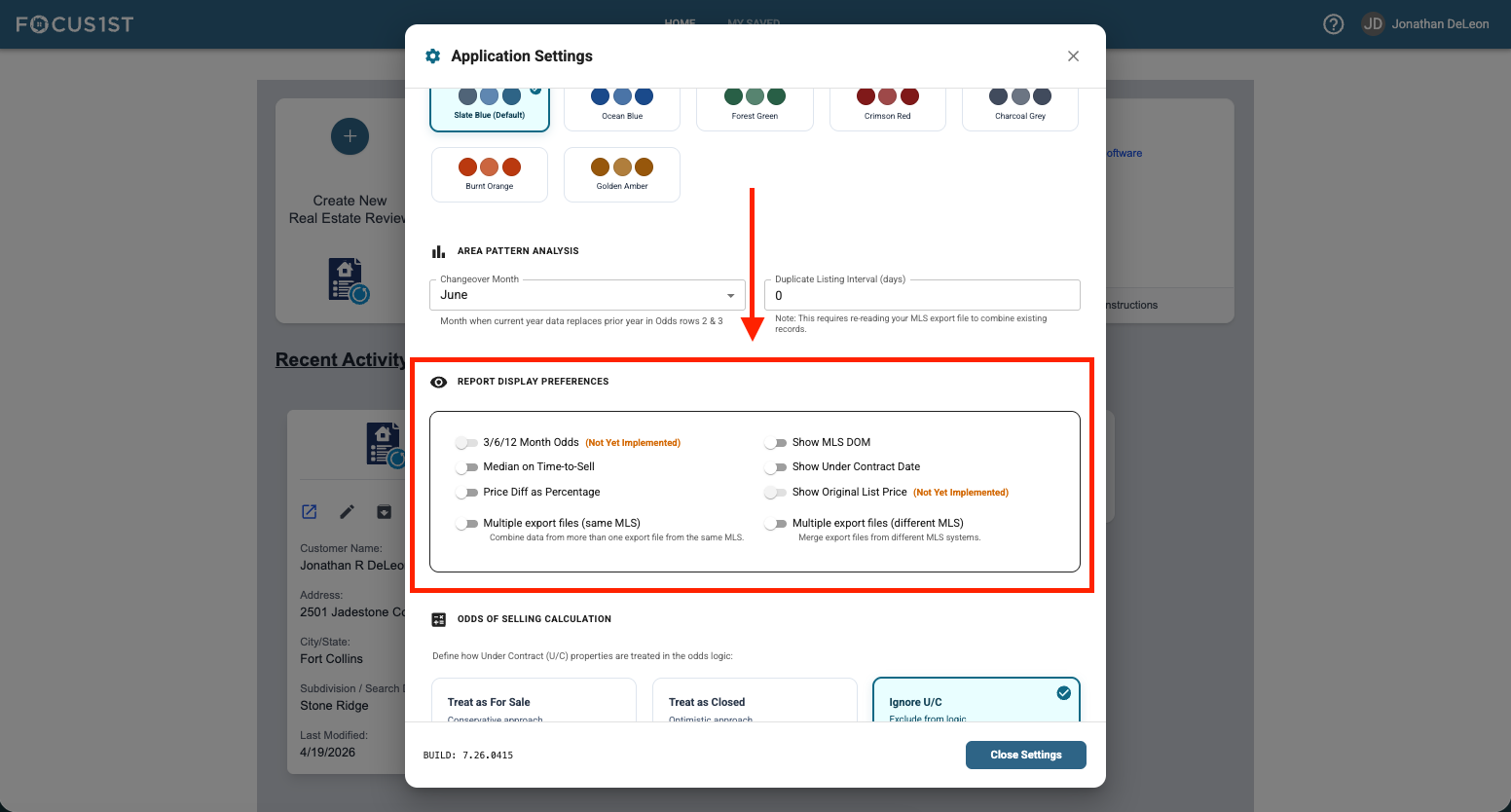
Scroll to the Report Display Preference section.
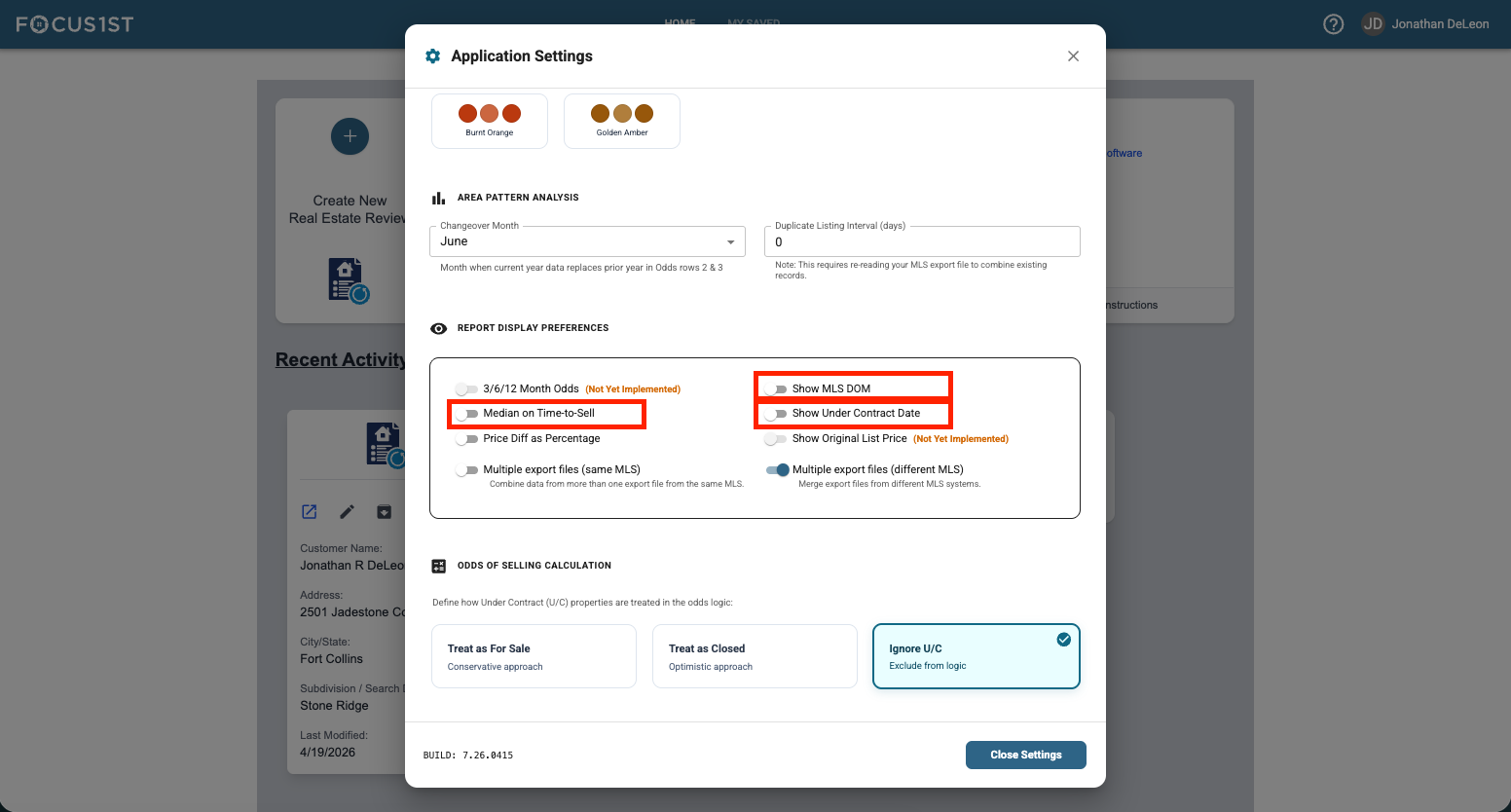
Toggle the switches that you wish to turn on.
Median on Time-to-Sell (Replaces Average Days Number with Median)
Show MLS DOM
Show Under Contract Date (Versus Closed Date)
Open System Settings
Scroll to Report Display Preferences
Toggle Desired Switches