
Help Center > System Settings > How Can I Change How Under Contract Is Treated in Odds of Selling
How Can I Change How Under Contract Is Treated in Odds of Selling?
Some markets treat Under Contract homes as closed, others as still active and yet others still put them in a limbo state between the two. Because of this the software allows for users to change how Under Contract homes are treated by the Odds of Selling calculation to best match your area. To make this change so the data matches your area best:
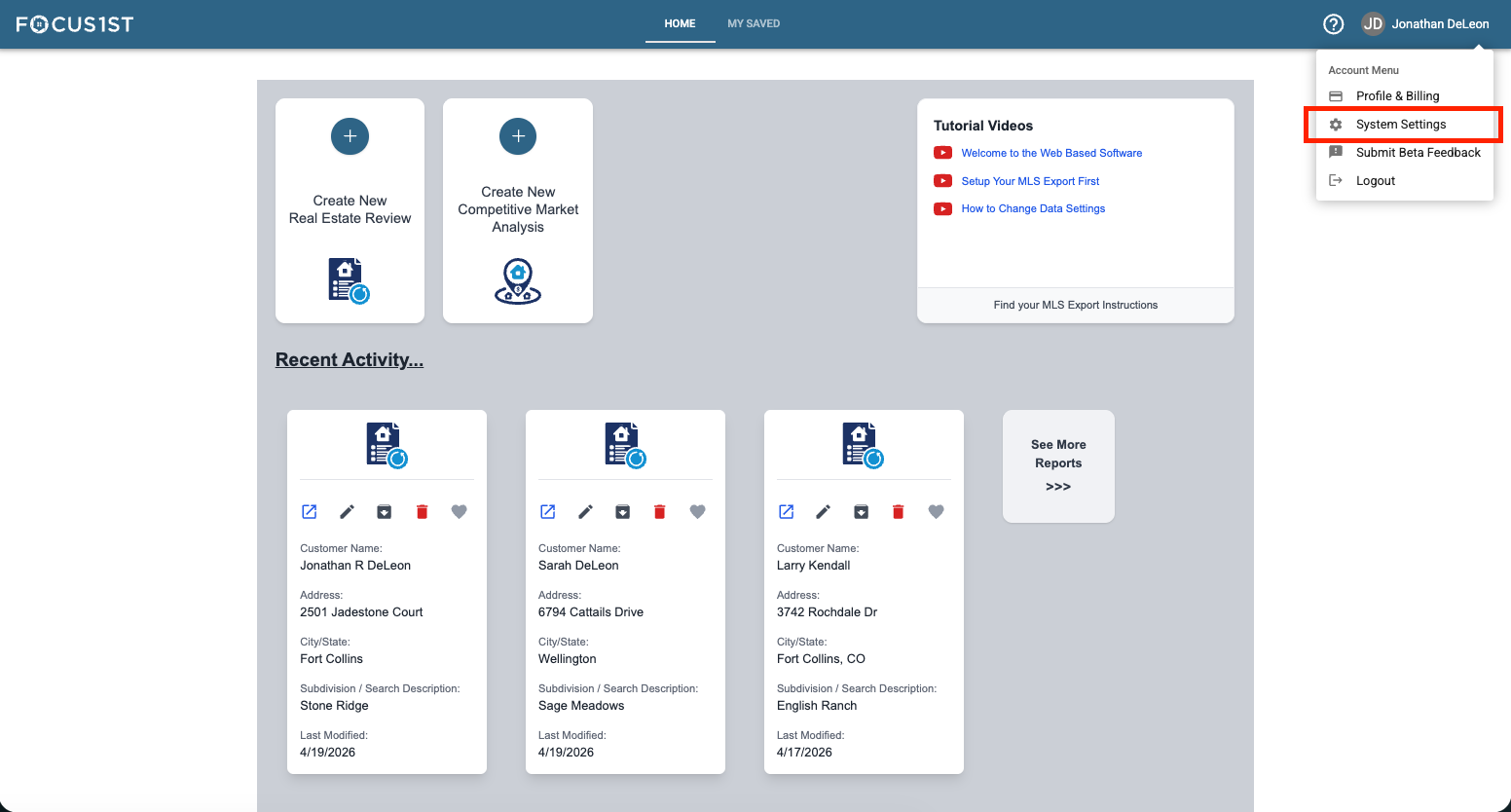
Open your settings menu using the dropdown, clicking your name then the option “System Settings.
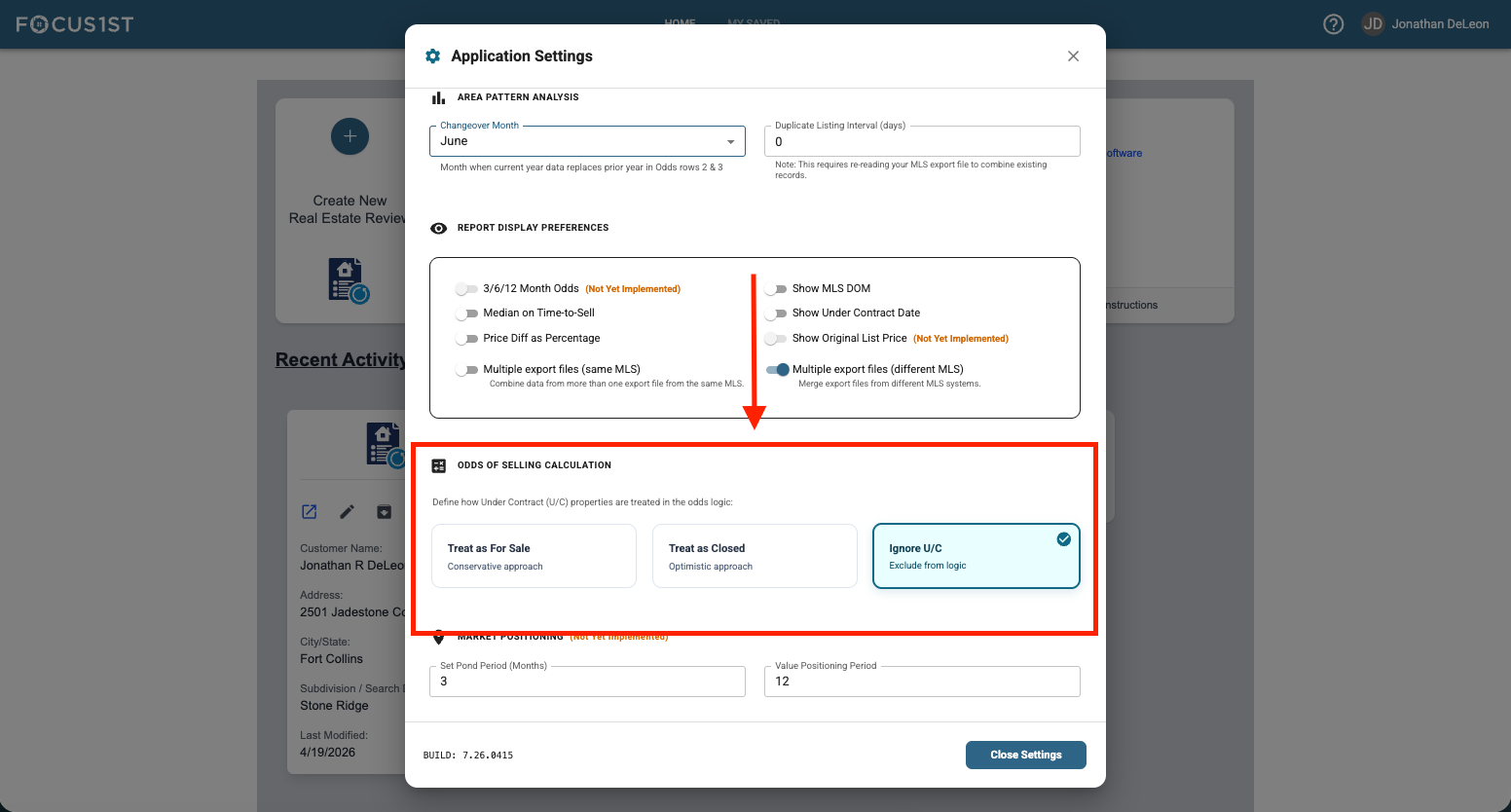
Scroll down in the window that opens until you see the option: Odds of Selling Calculation
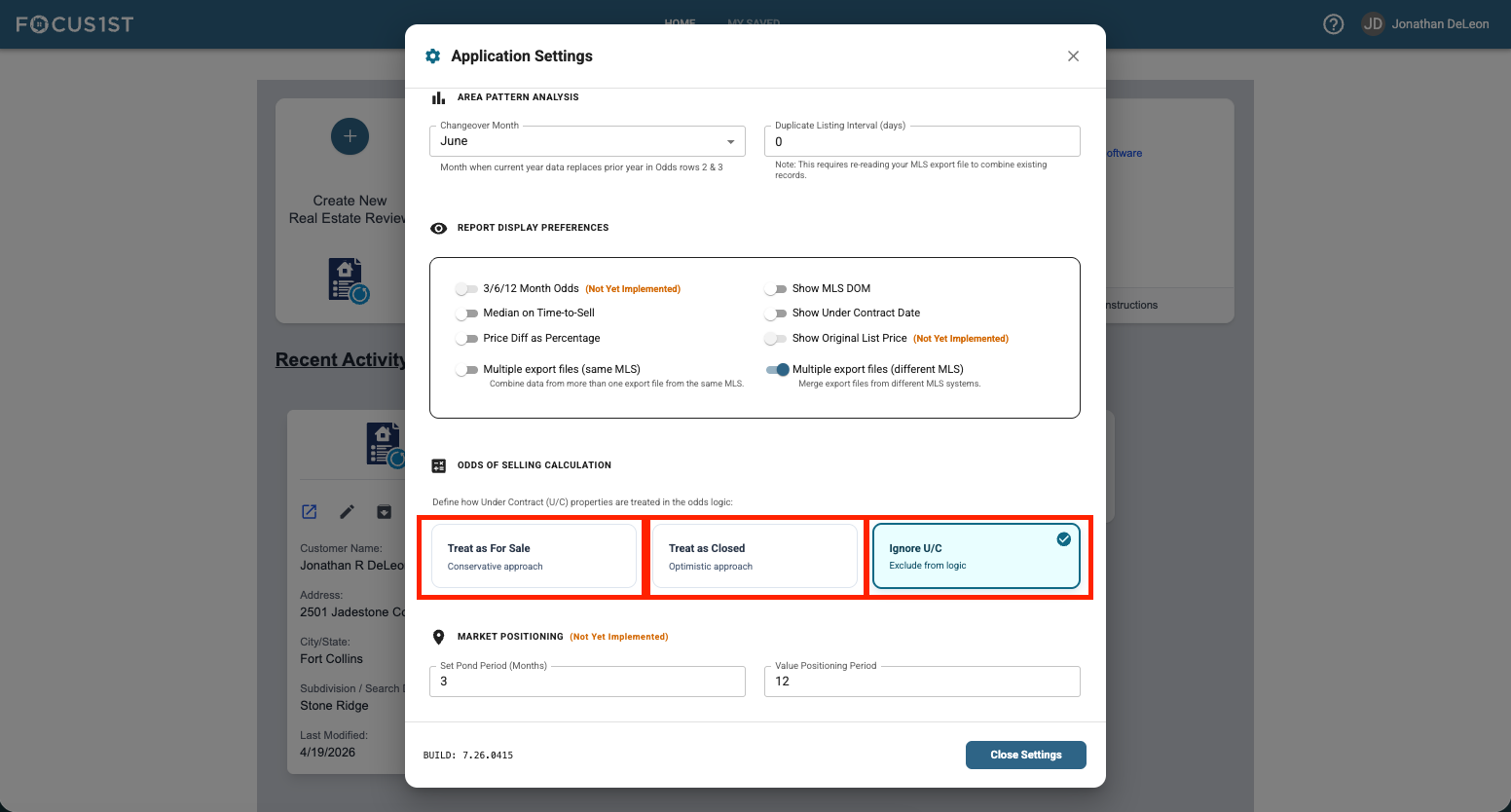
Select your data option by clicking one of the three buttons. The new selection is automatically saved. NOTE: This will change how data is treated in all reports, including past ones.
Open System Settings
Scroll to Odds of Selling
Select Desired Option