
Help Center > Real Estate Reviews > How to Print or Download Your Real Estate Review Report
How to Print or Download Your Real Estate Review Report
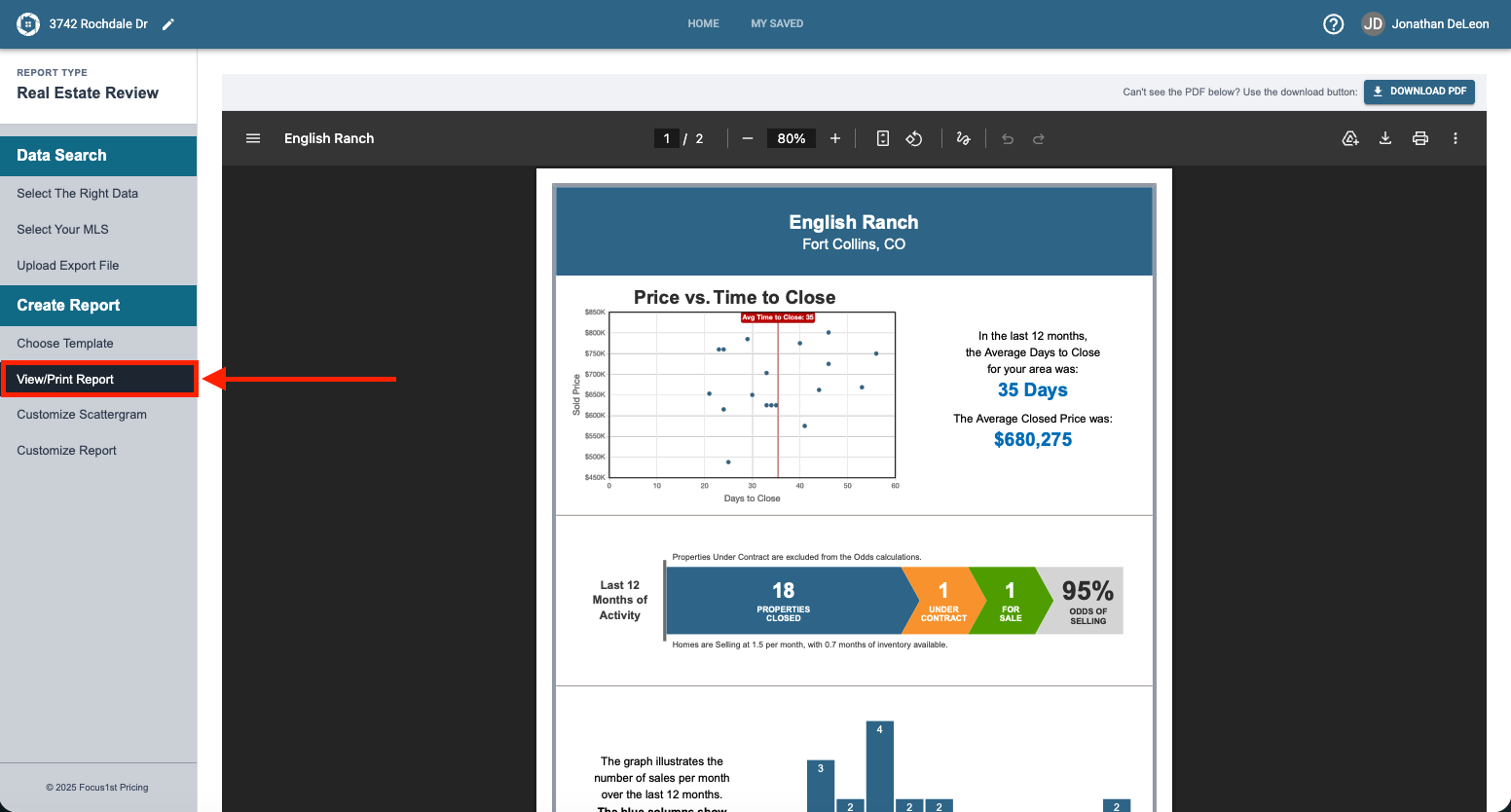
All the Real Estate Review reports have the same controls for printing or downloading. There are differences however on some browsers, particularly on Safari. To print/download you will need to be on the View/Print Report Step.
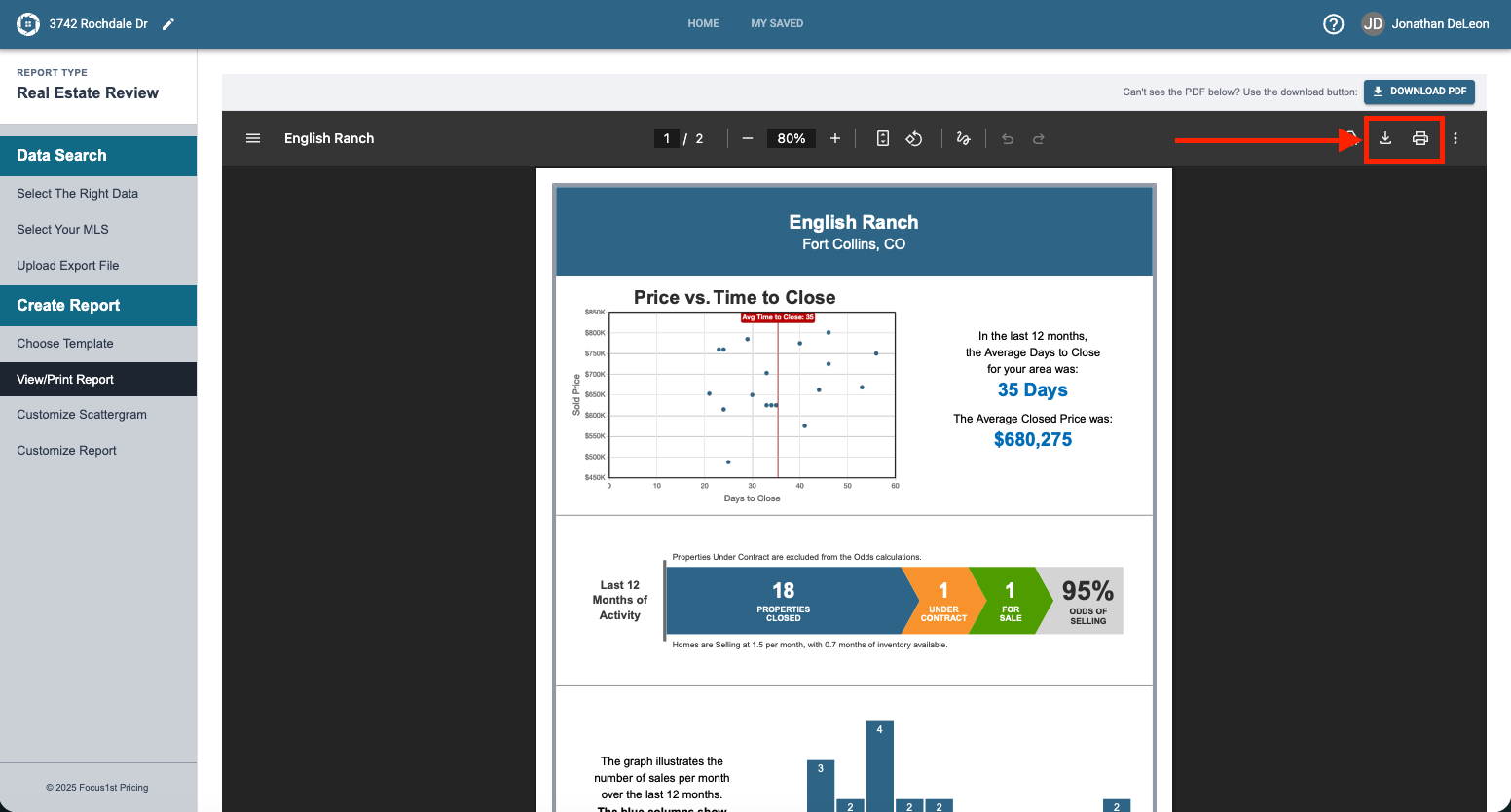
In most browsers you’ll find both the print and download icons in the top corner.
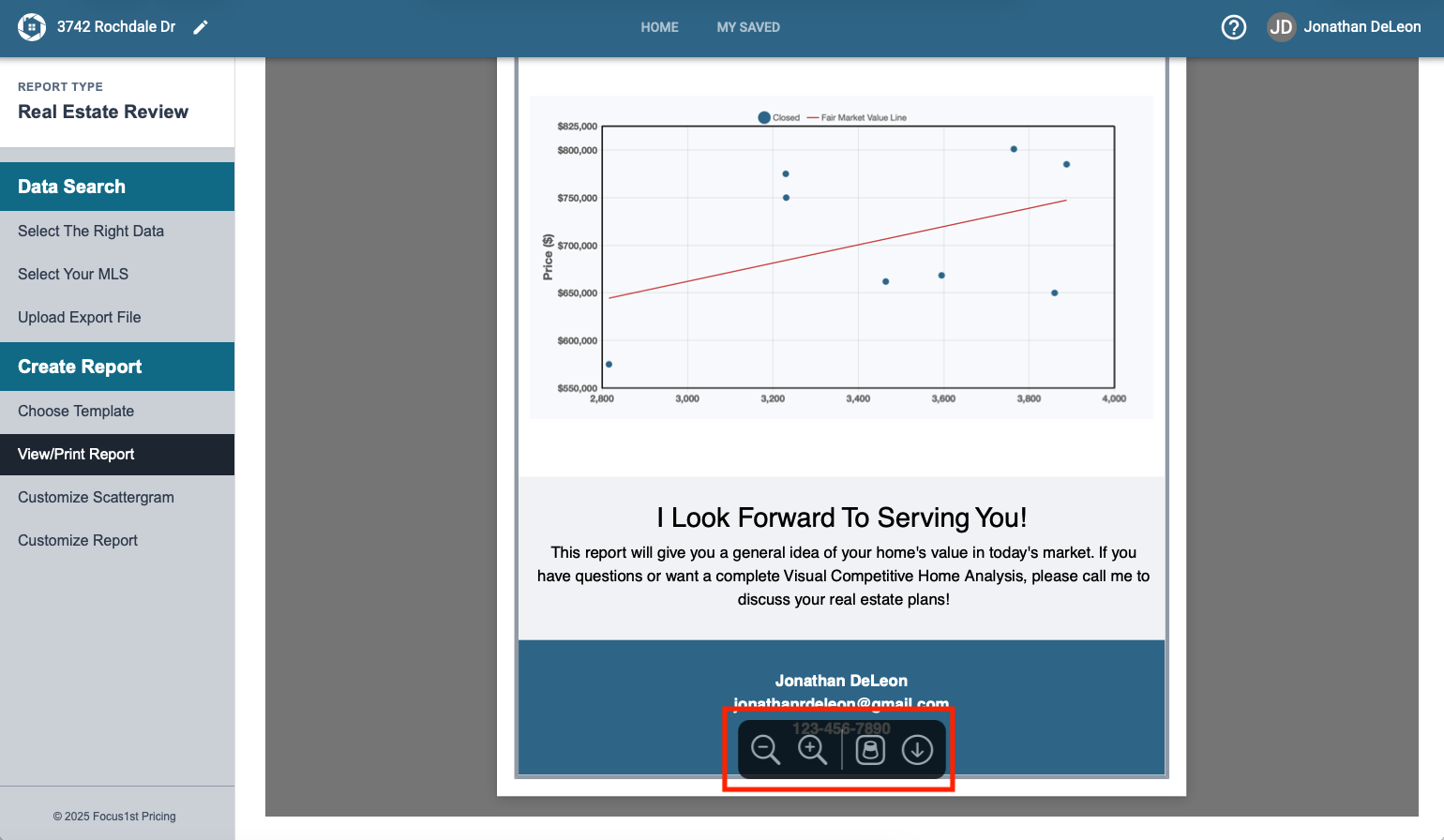
In Safari you will find the print controls near the bottom, once you scroll down and hover your mouse over the center of the page. The left option opens the file in Preview and the down arrow downloads it.
Sidebar Step View/Print Report
Controls on Most Browsers
Controls on Safari