
Help Center > Real Estate Reviews > How to Open Previous Real Estate Review Report Files
How to Open Previous Real Estate Review Report Files
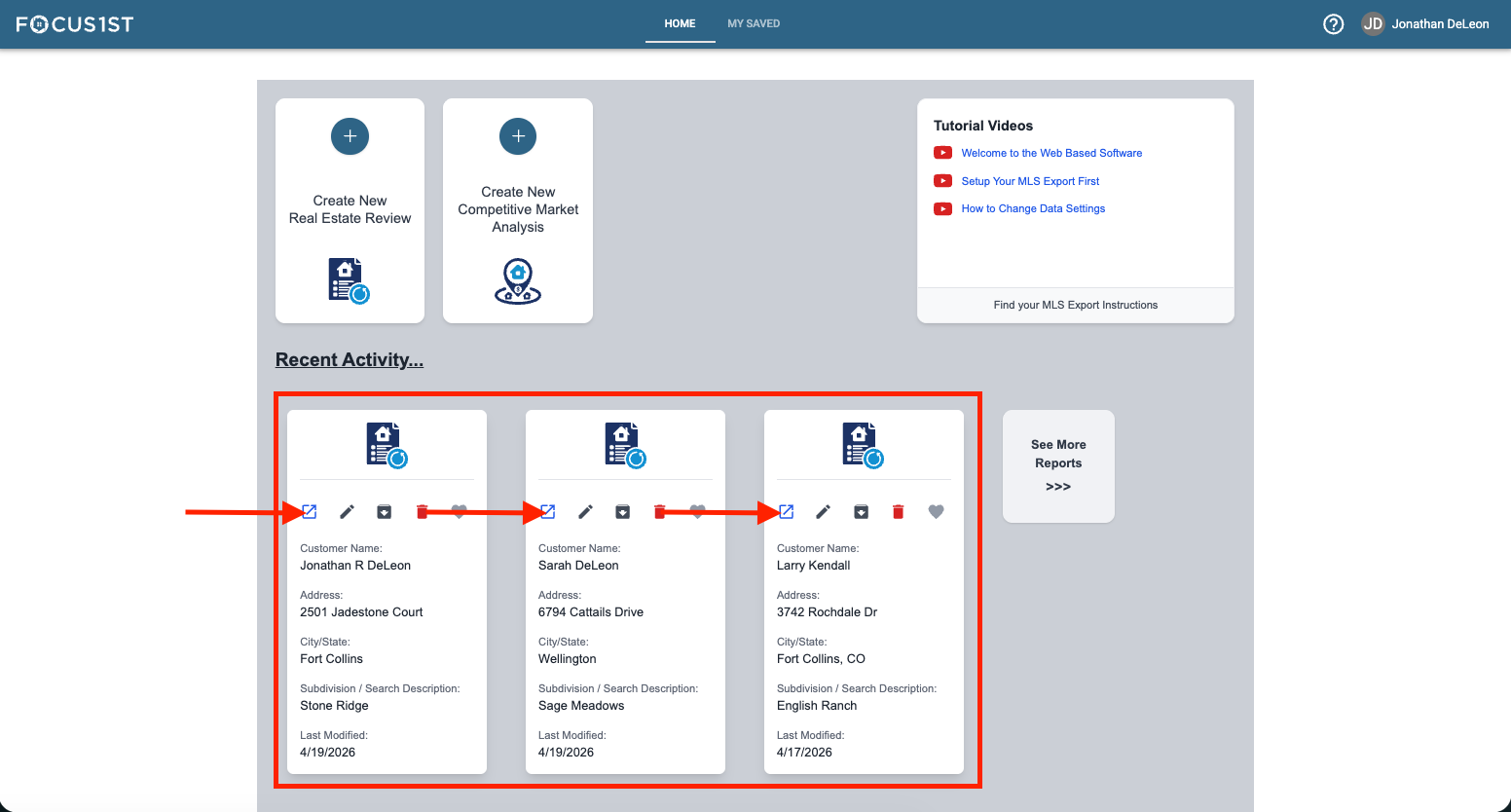
If it’s one of the last three reports you’ve created, click the Open Arrow icon on the record card on the home page.
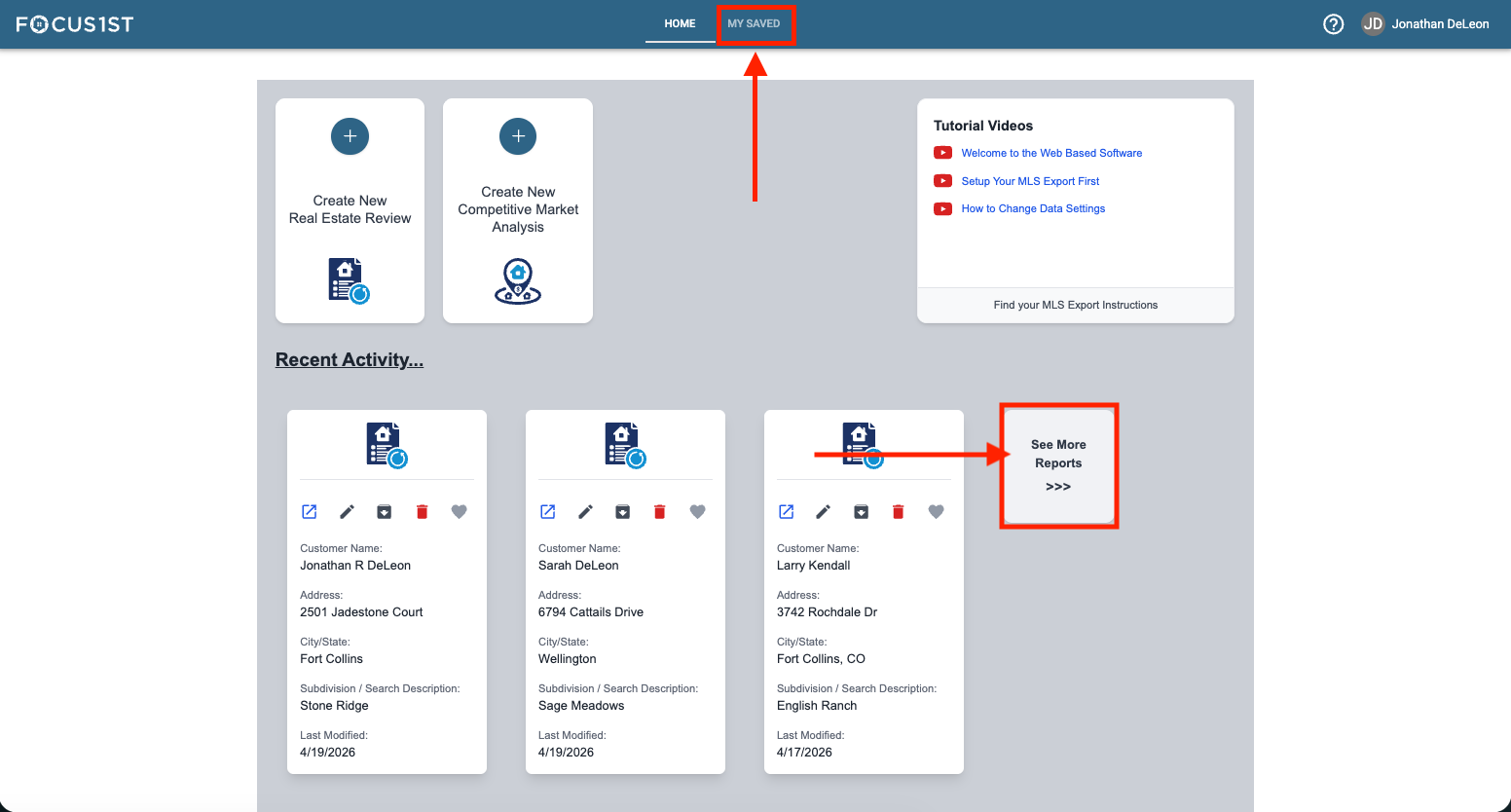
If it’s not, open the My Saved Area by clicking the My Saved Navigation or the See More Reports button.
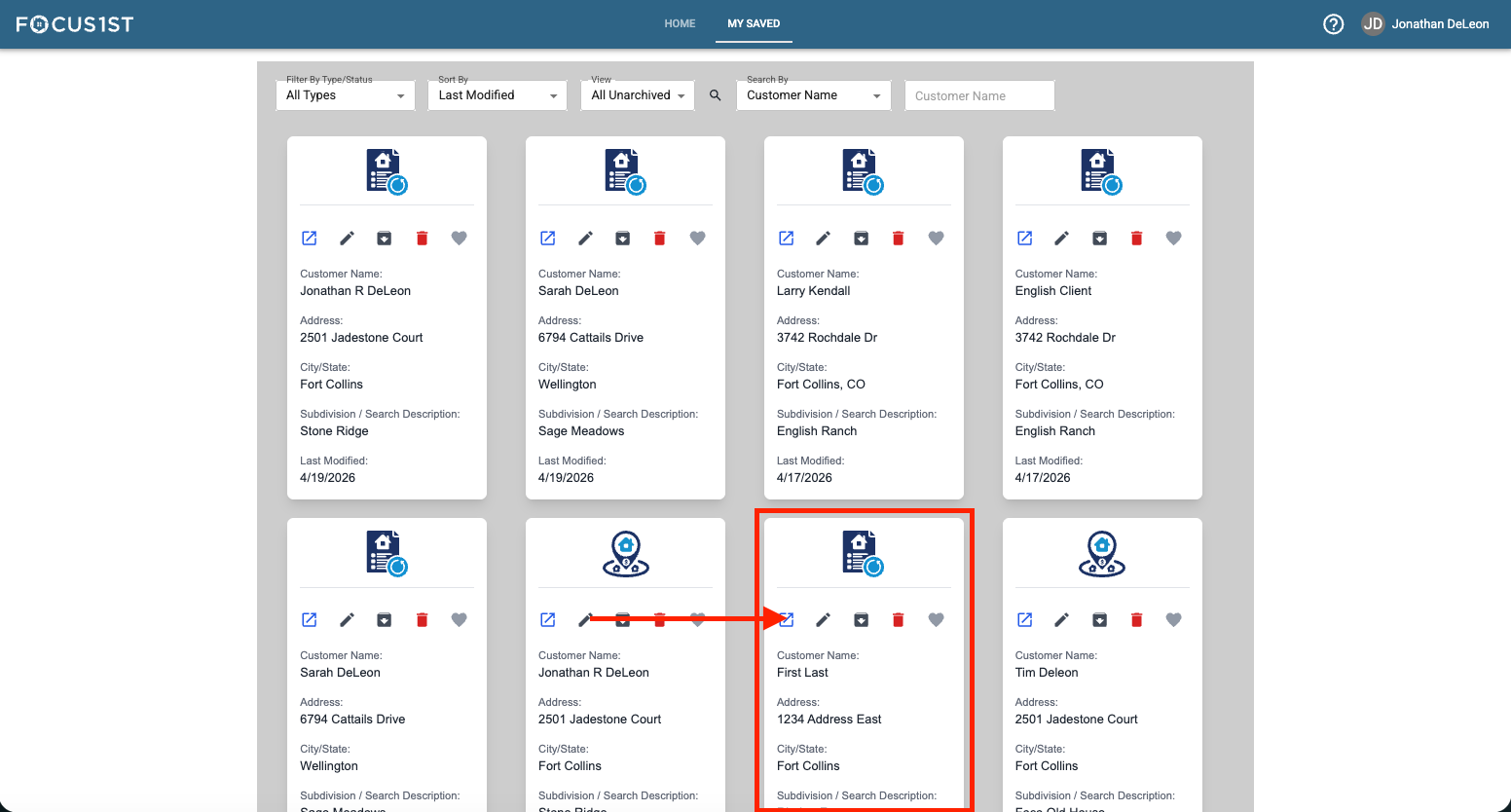
Click the Open Arrow icon on the report file you wish to open.
Open Recent
Open Saved Area
Open File