
Help Center > Real Estate Reviews > How to Edit Real Estate Review Report Details
How to Edit Real Estate Review Report Details
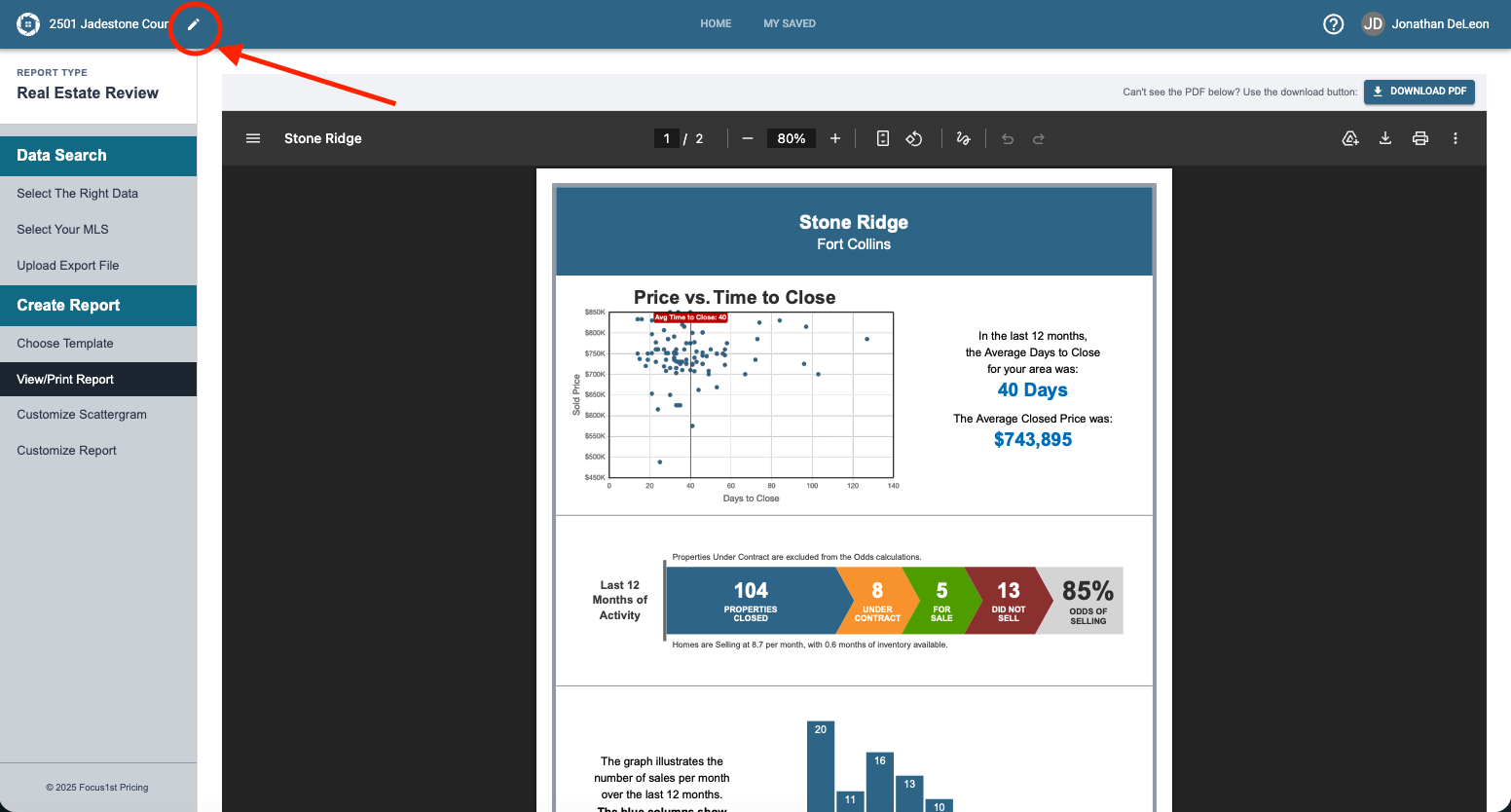
If you have the Real Estate Reviews report creation open, click the pencil at the top of the screen.
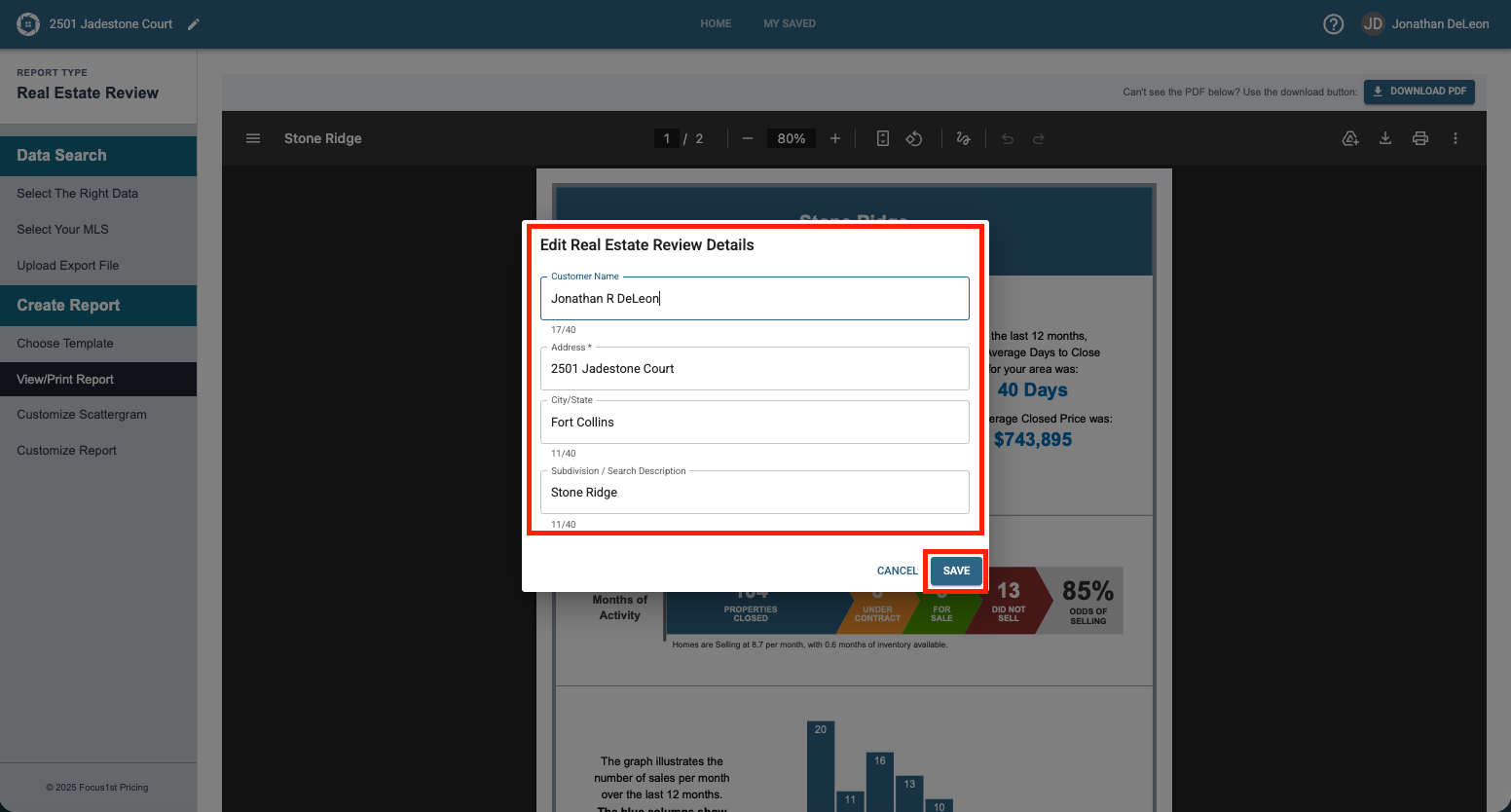
Enter the new details and click Save.
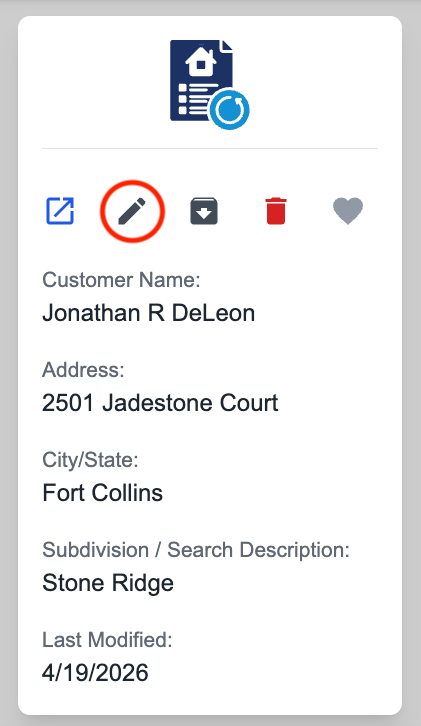
If your report is not open, click the pencil icon on the title card.
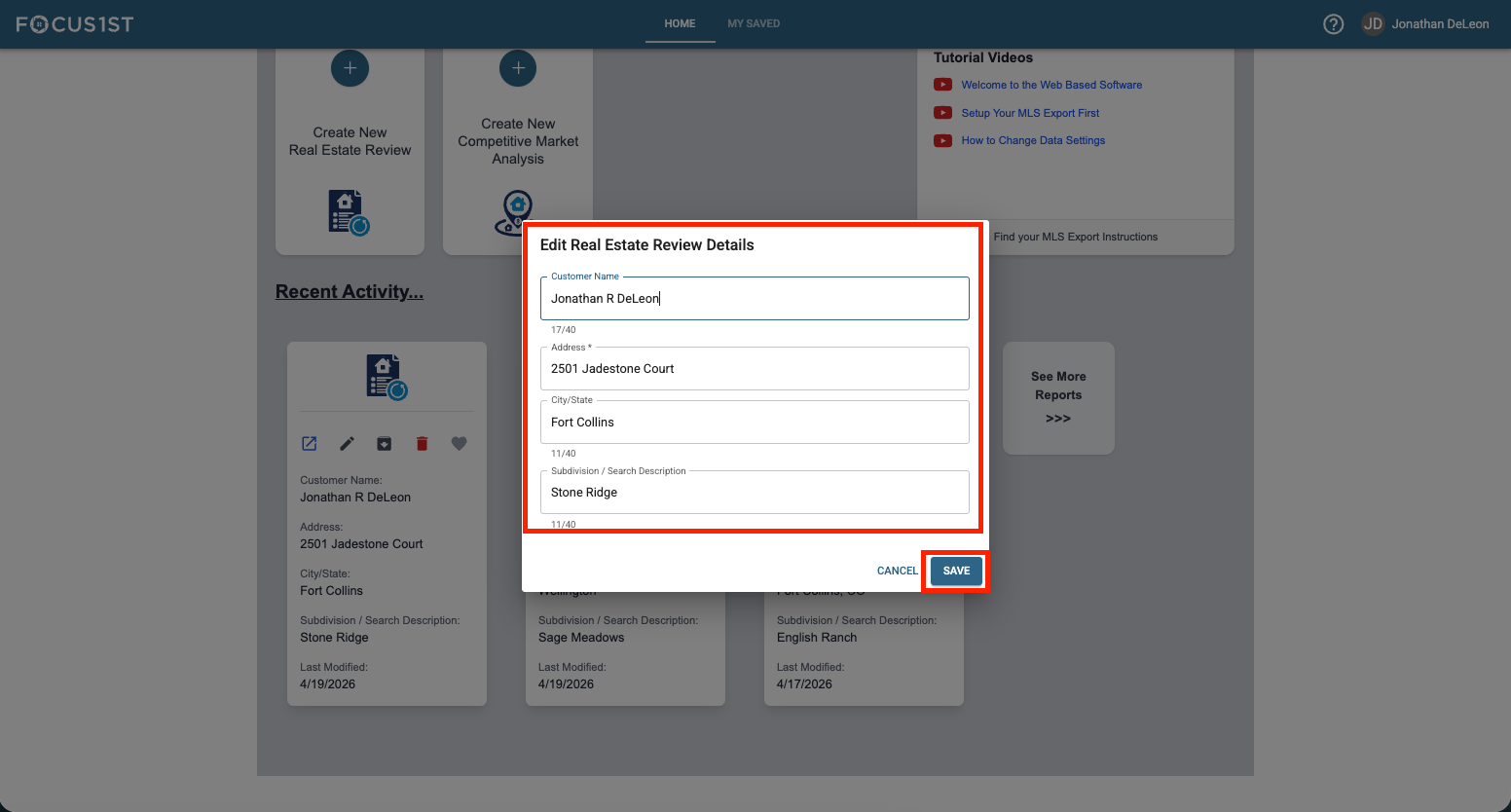
Enter the new details and click Save.
Edit Option #1
Report Open
Edit Option #2
Report Title Card