Help Center > Real Estate Reviews > How to Customize the 1 Page Area Sales Trend Report
How to Customize the 1 Page Area Sales Trend Report
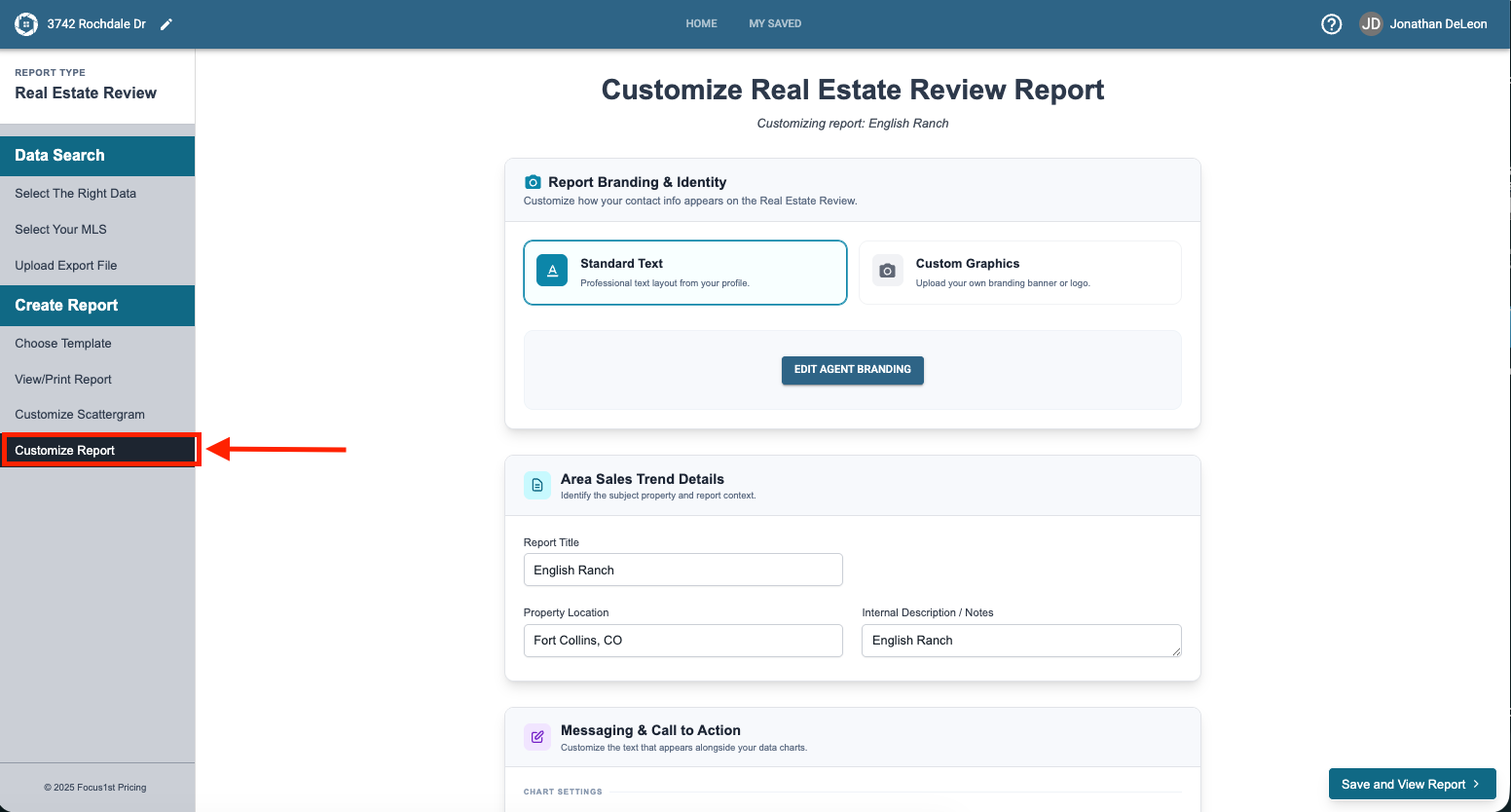
The 1-Page report has a few areas that you can customize or change if you want. To open the options for this customization click on the Customize Report step on the sidebar.
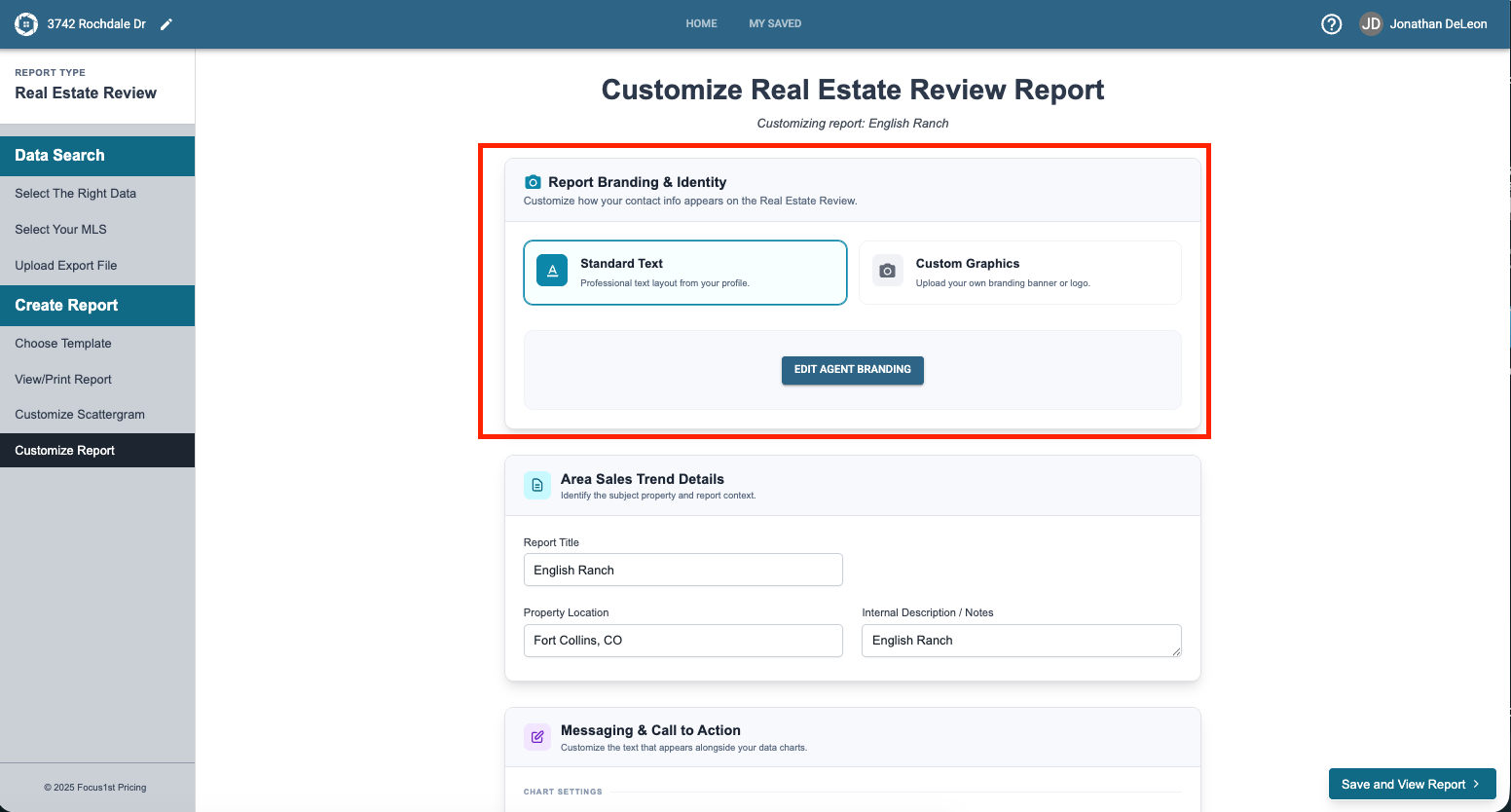
In the first section you can update your footer information by either changing your Agent Branding or uploading a custom graphic.
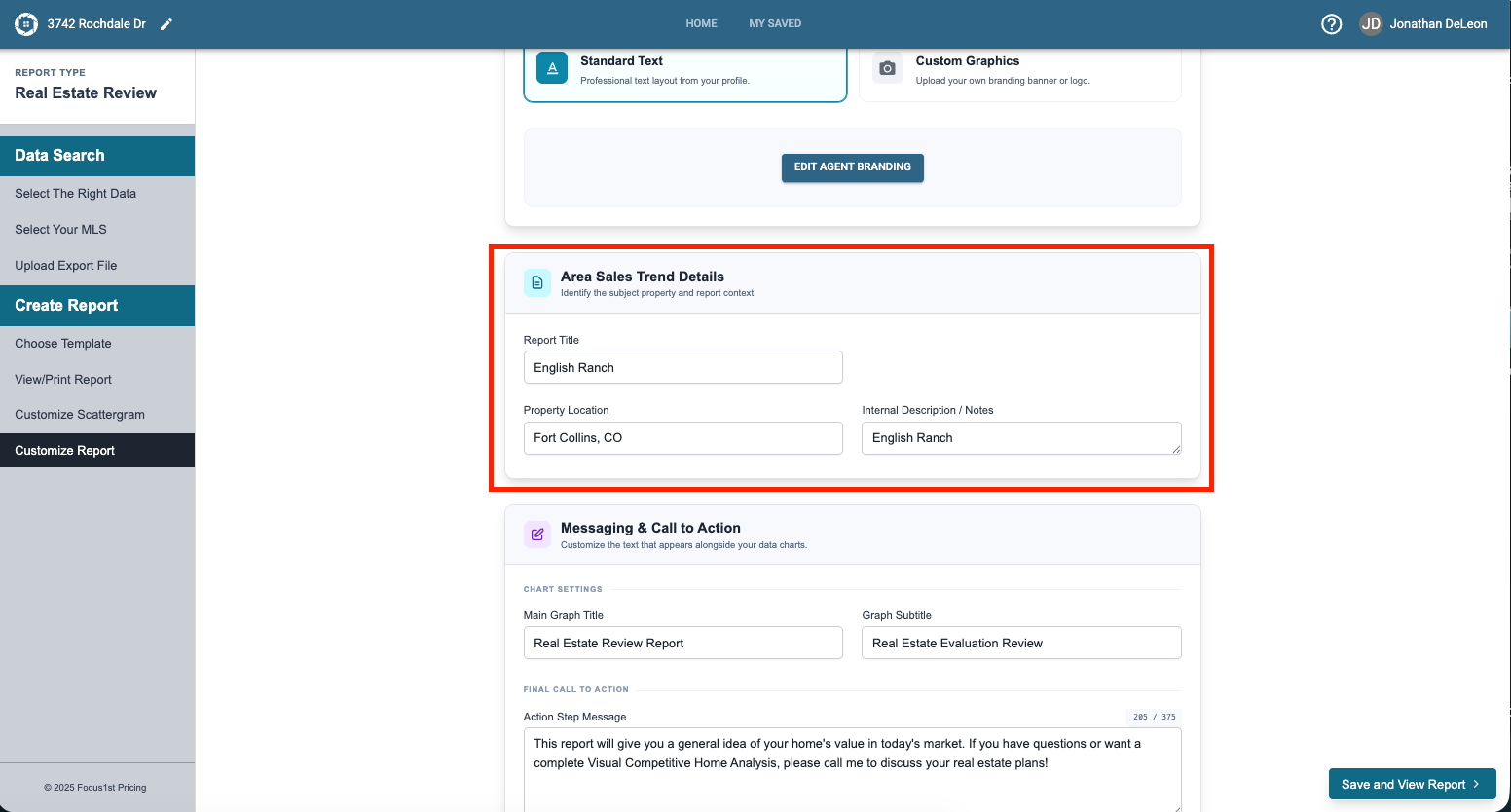
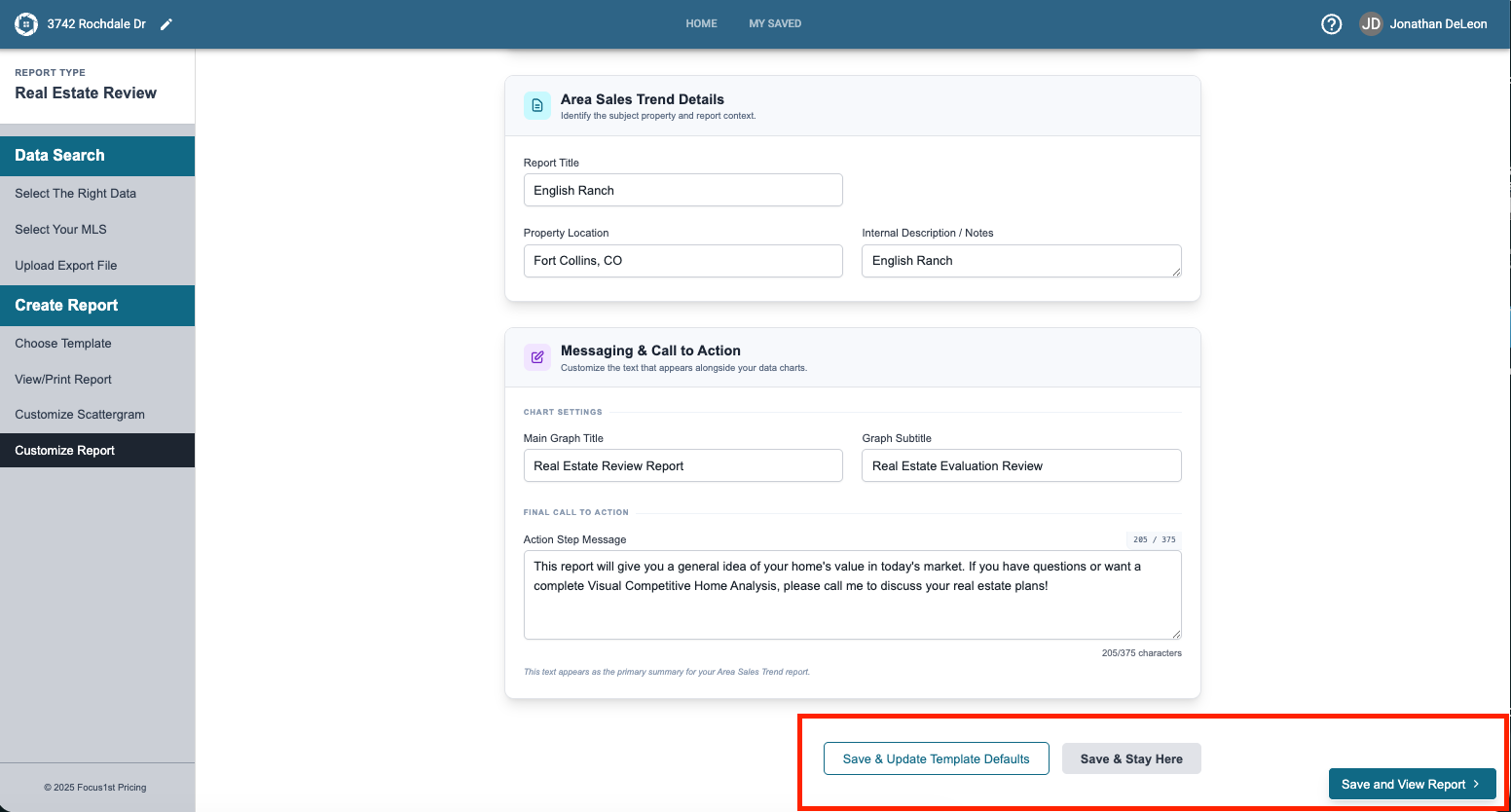
In the second section you can type in the textboxes if you wish to change the Report Title, property location or search area note.
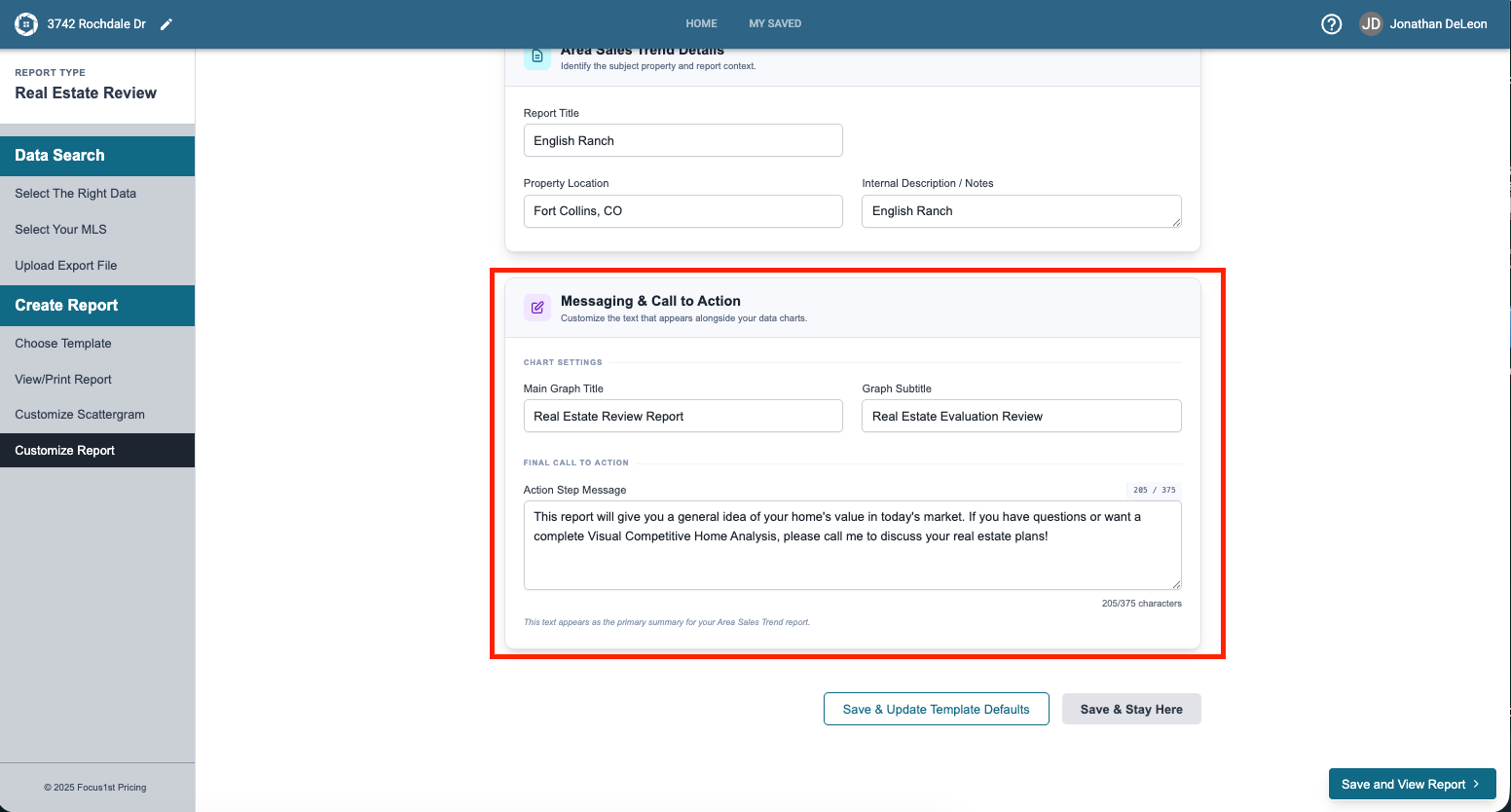
In the third section you can change the Graph title or Graph subtitle by typing in the text boxes. The final textbox in this section is where you can add personal messaging or a small note to your clients.
To save any changes you make, click one of the three save options.
Save & Update Template Defaults: Saves the changes and keeps your messaging and Agent Branding saved so any new report you create automatically has that information correct.
Save & Stay Here: Saves your changes but doesn’t leave the page so you can keep working.
Save & View Report: Saves your changes and opens the report.
Open Customize Report
Custom Sections
Saving Changes