
Help Center > Profile & Billing > How to Add a New Payment Card
How to Add a New Payment Card
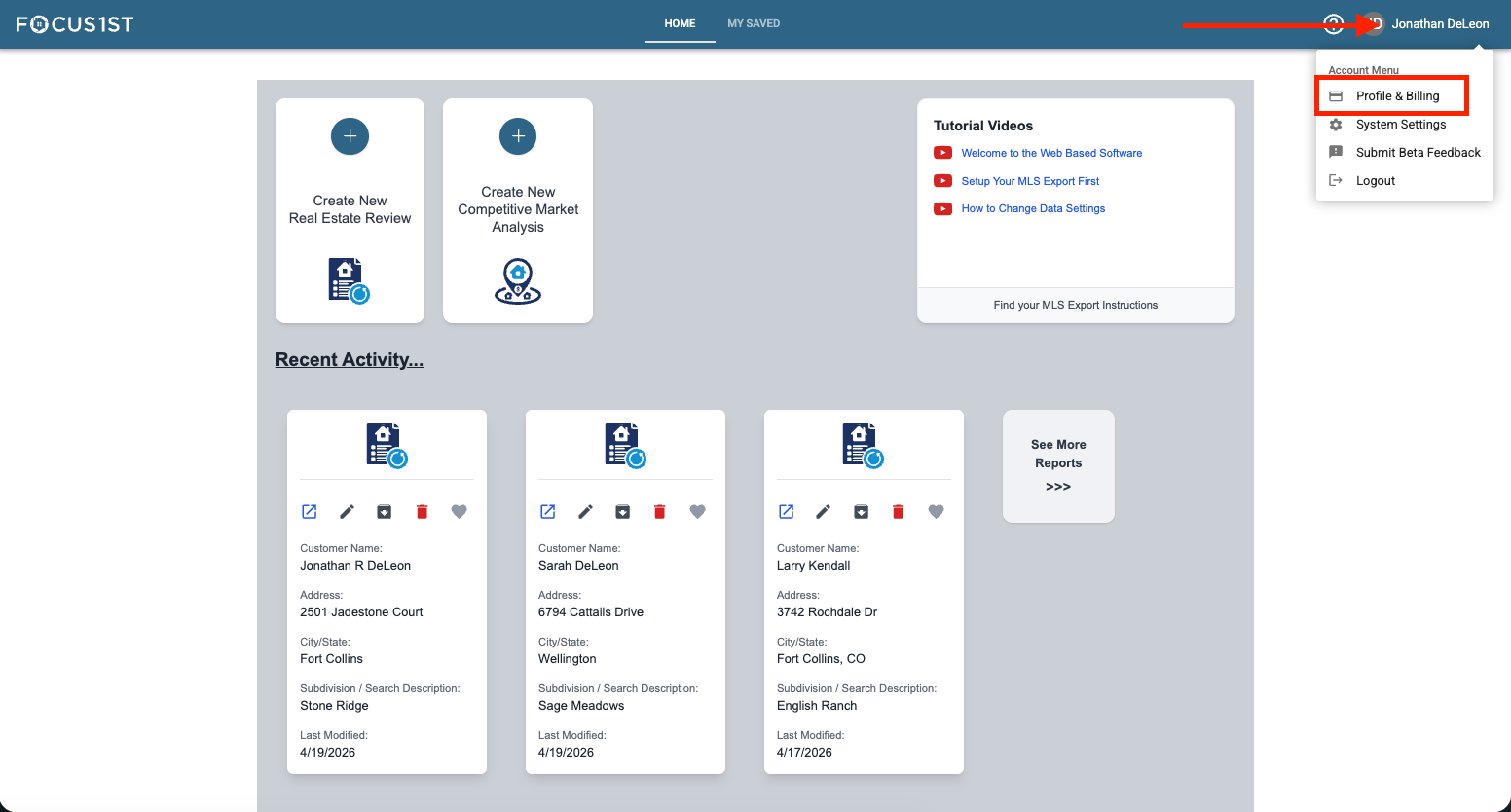
Open your profile menu using the dropdown, clicking your name then the option “Profile & Billing.”
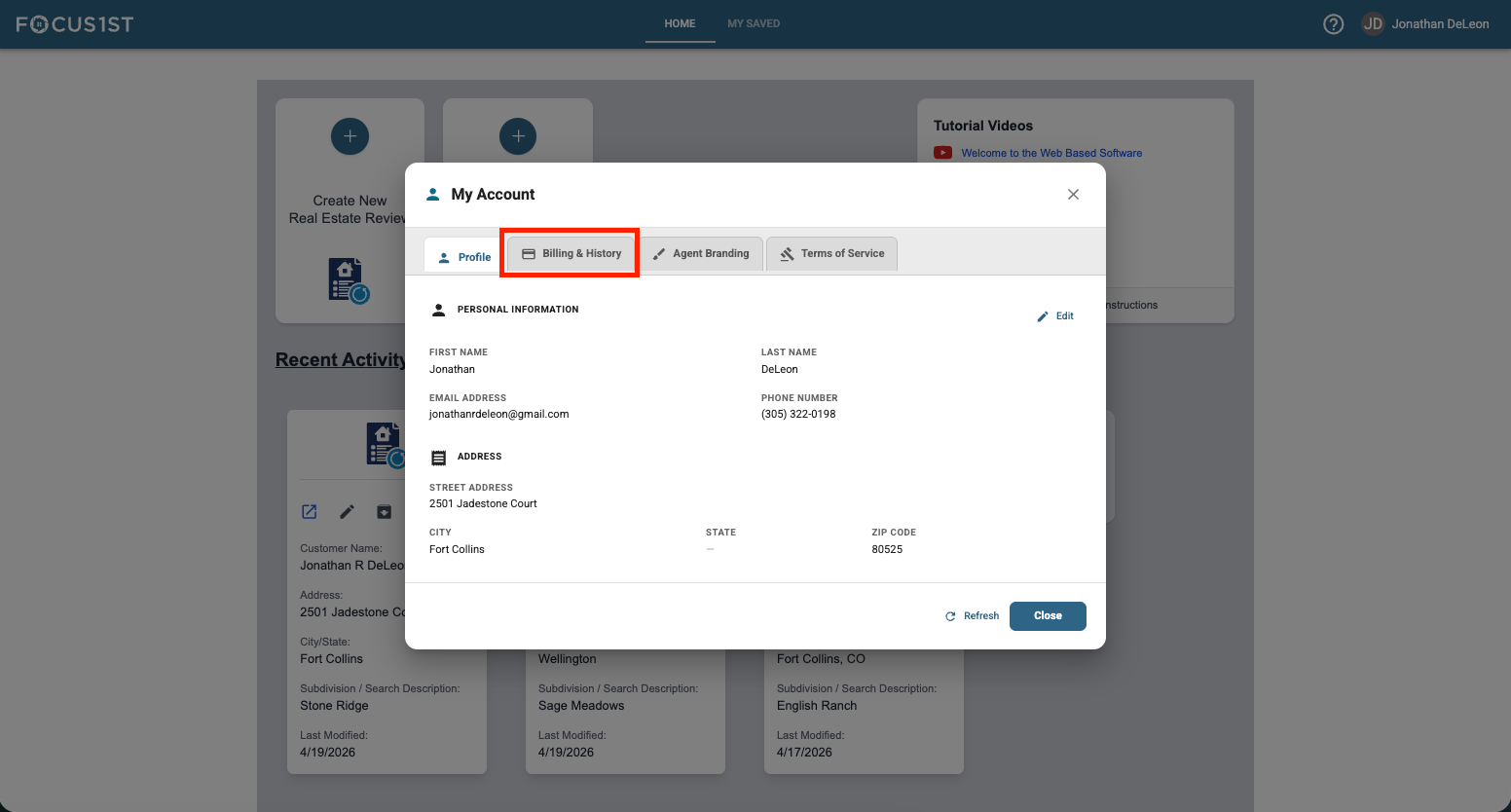
Click the tab “Billing & History.”
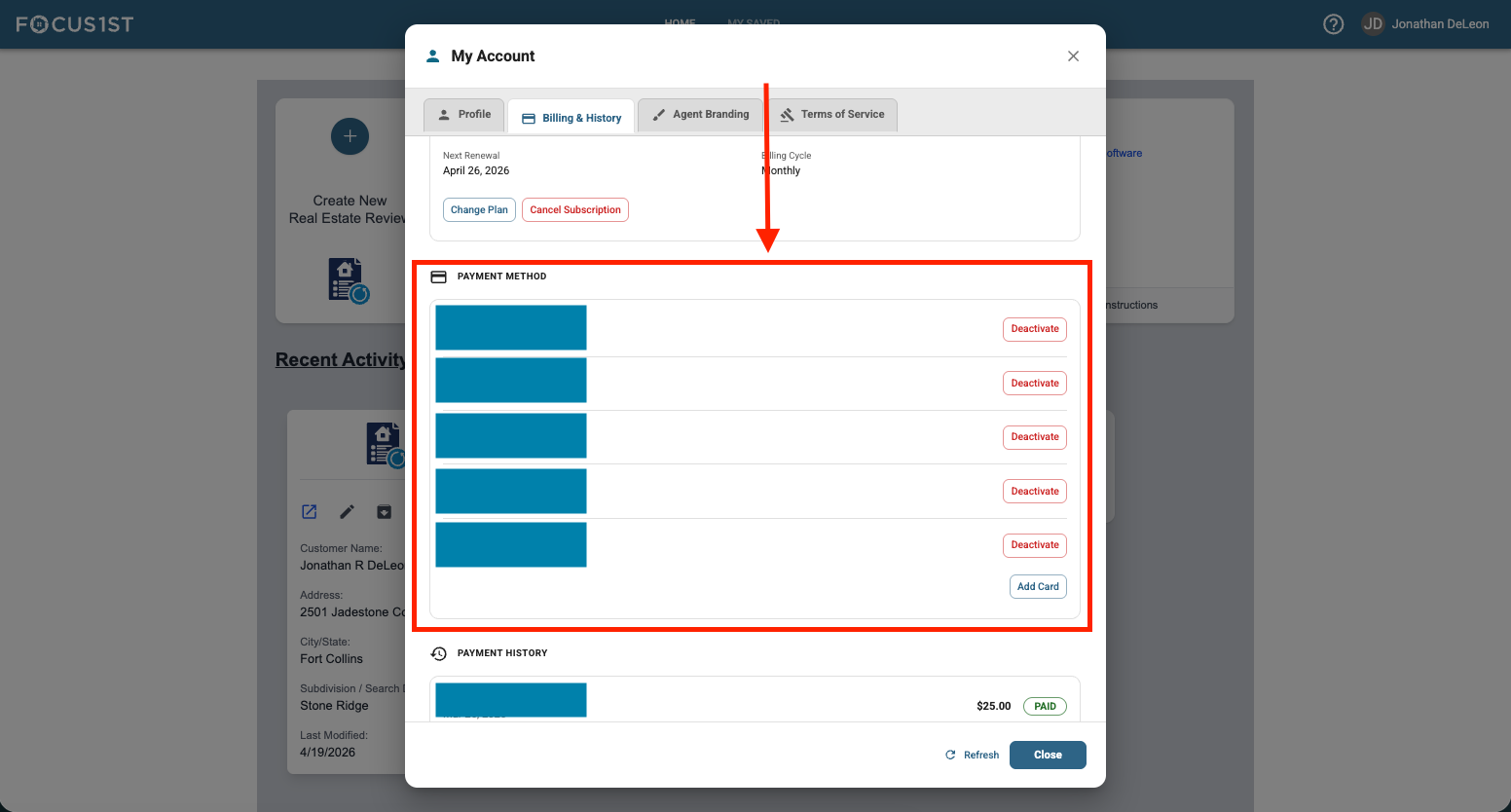
Scroll to the bottom of the Payment Method section.
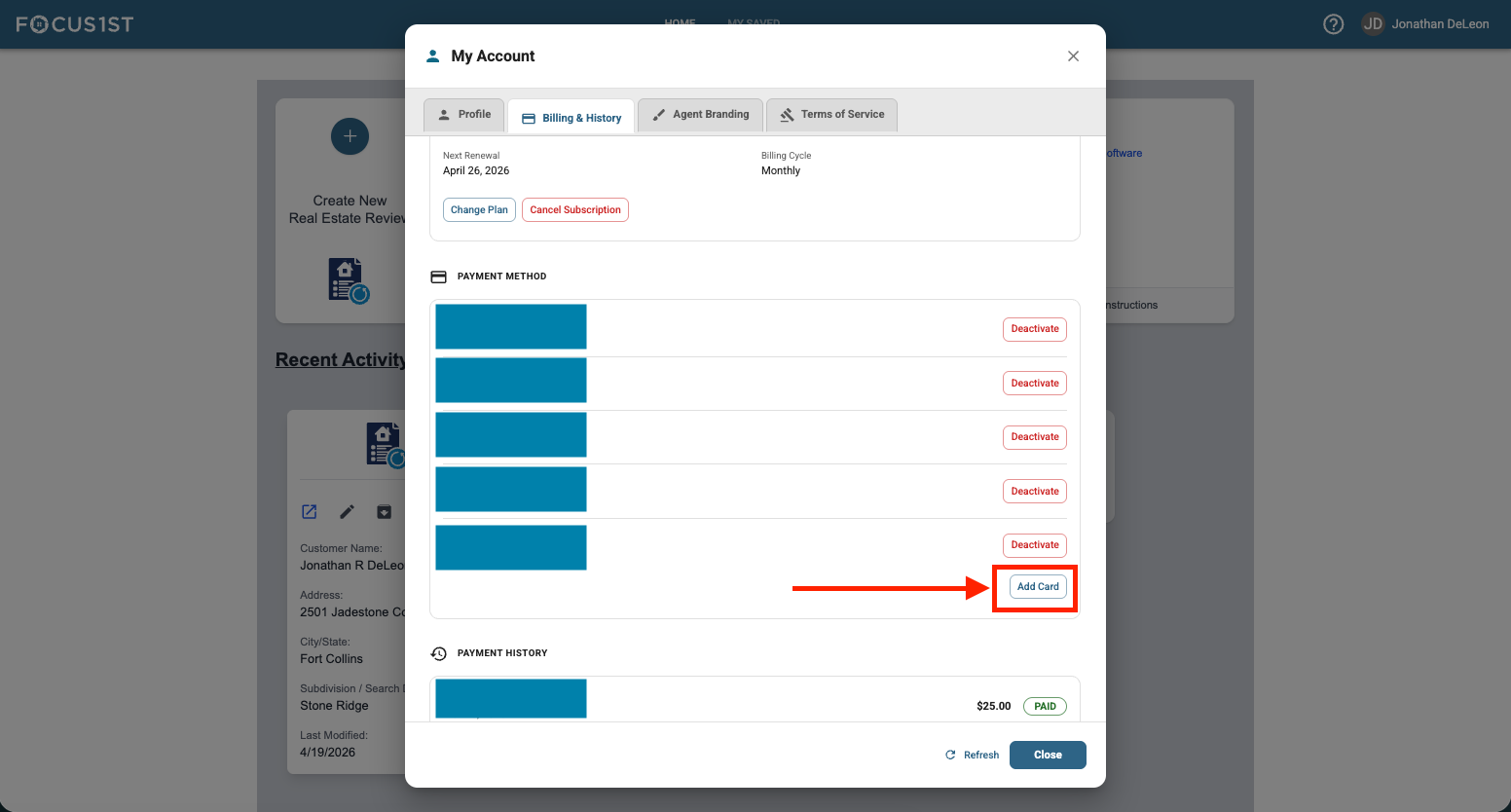
Click the blue button to Add Card.
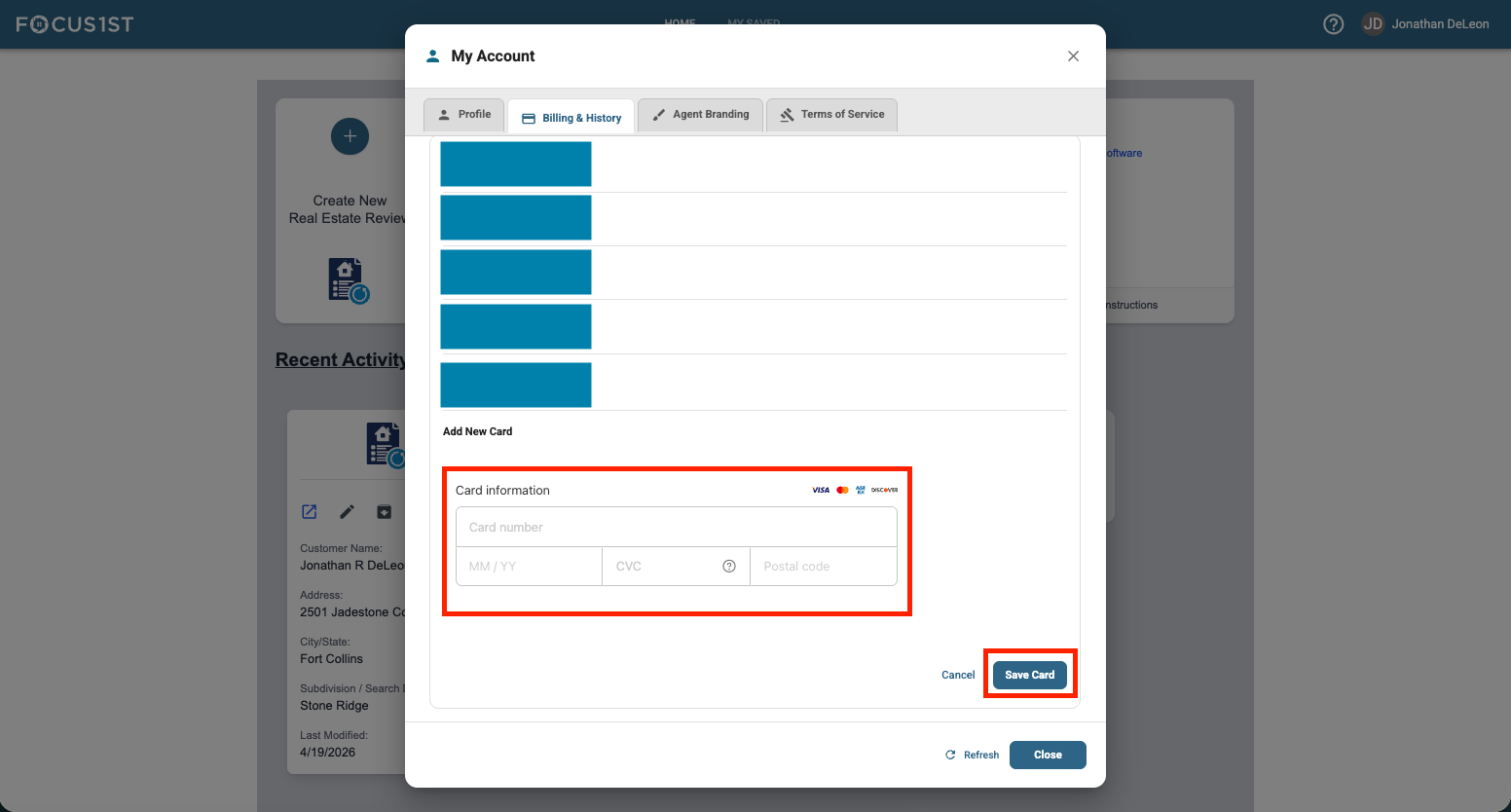
Enter card information and click Save Card.
Open Profile & Billing
Click Billing & History Tab
Scroll to Bottom of Payment Method
Click Add Card