
Help Center > Profile & Billing > How Do I Cancel My Subscription?
How Do I Cancel My Subscription?
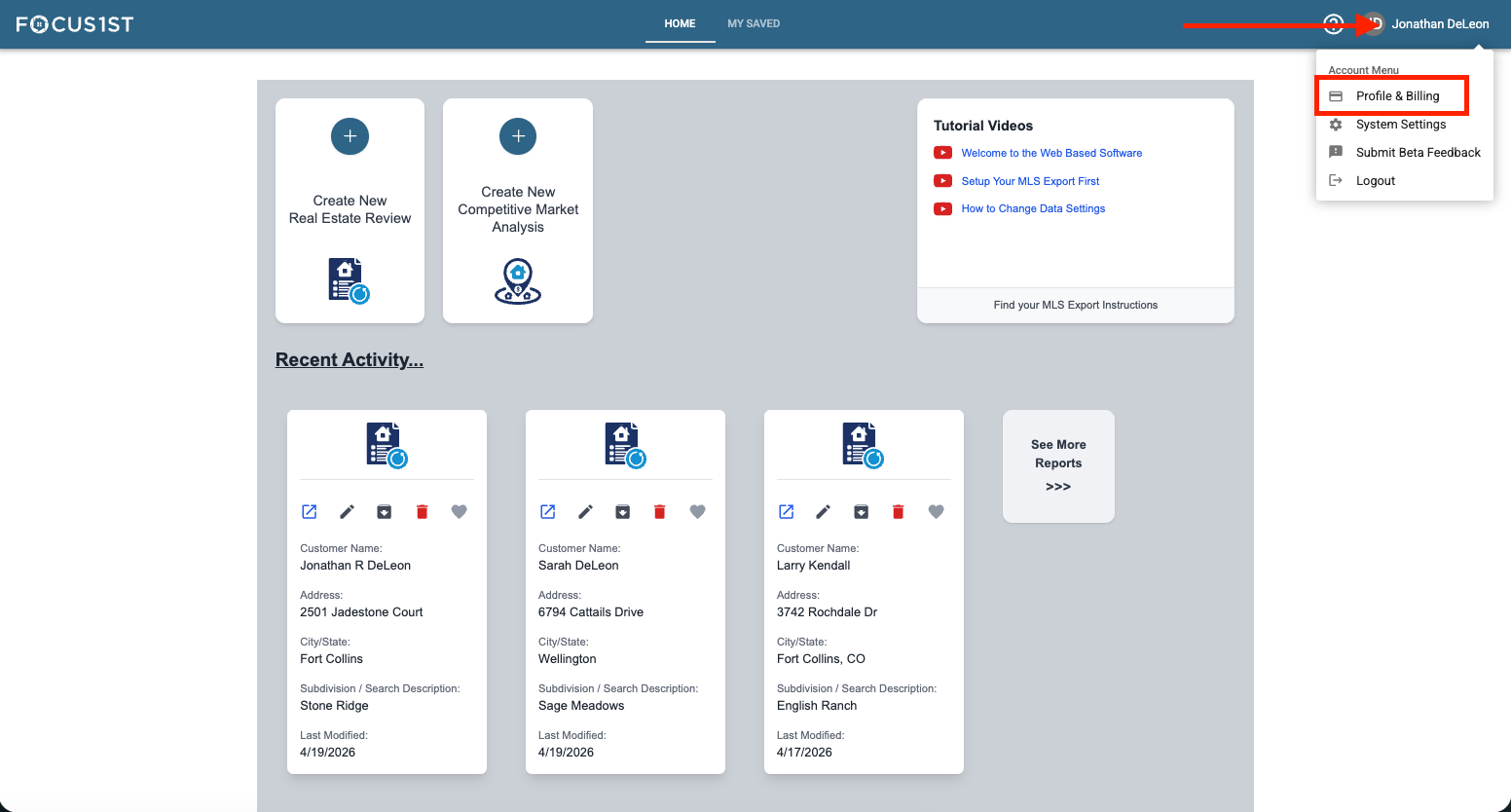
Open your profile menu using the dropdown, clicking your name then the option “Profile & Billing.”
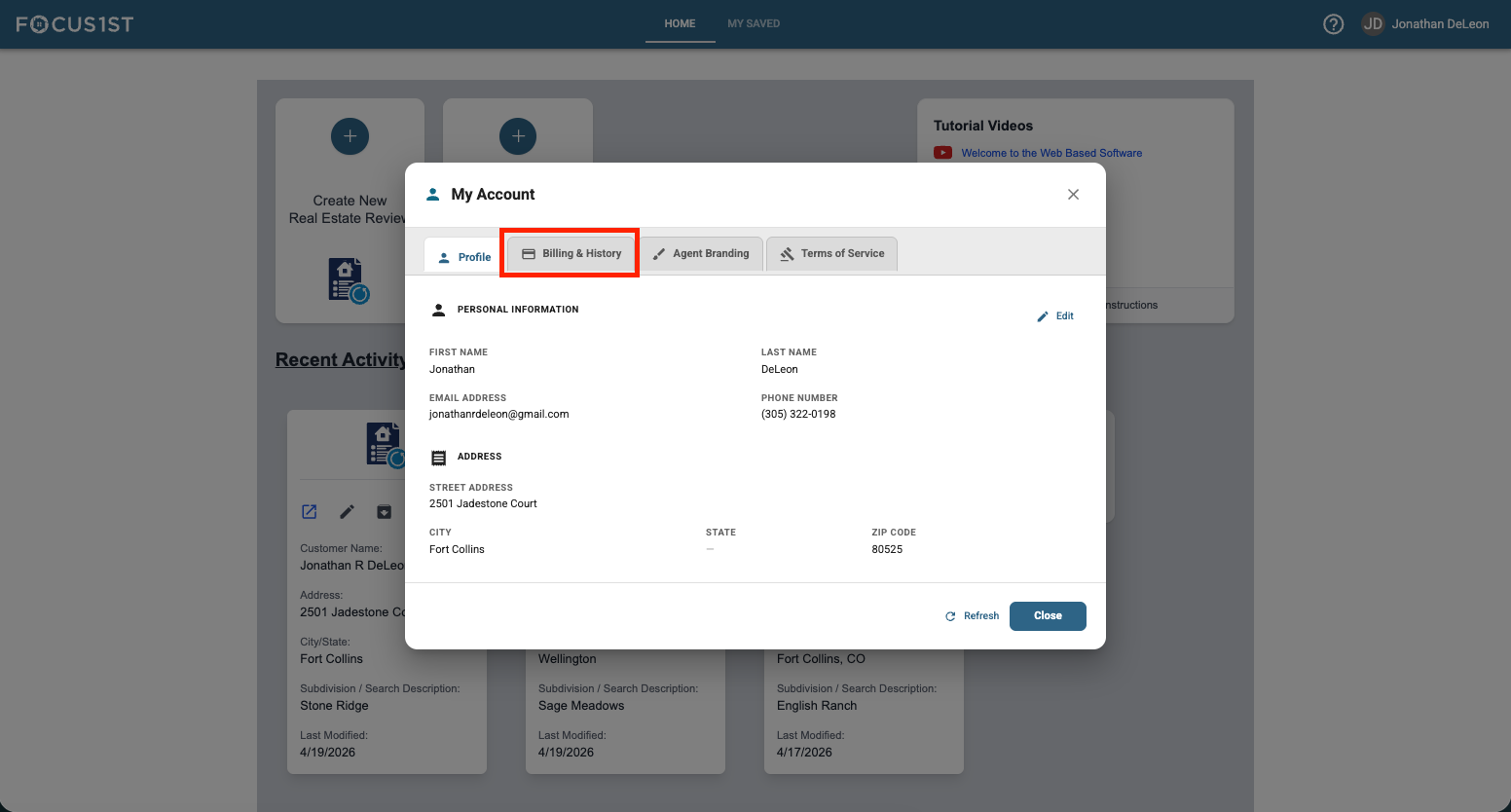
Click the “Billing & History” tab.
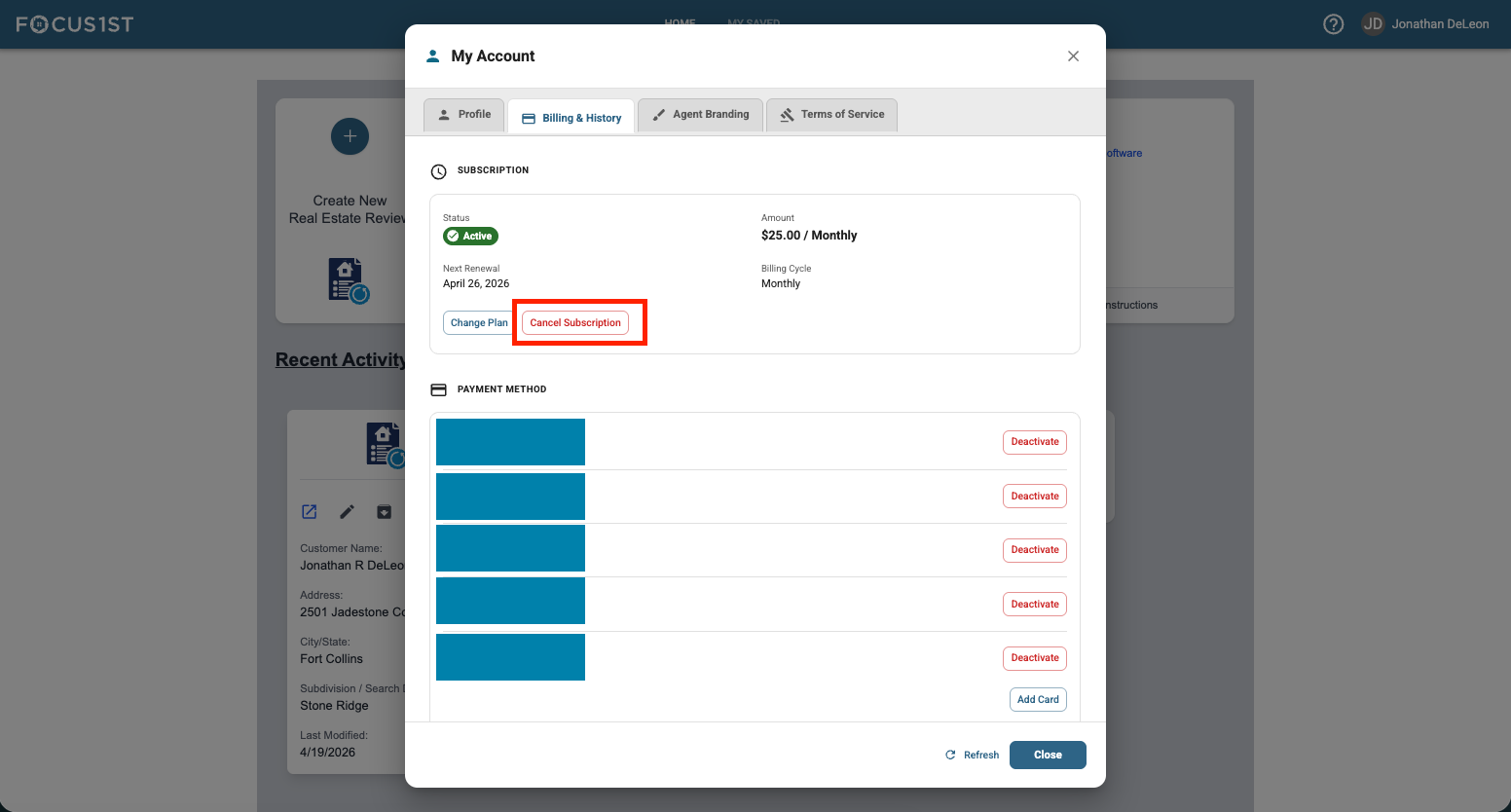
Click the Cancel Subscription button in the subscription area.
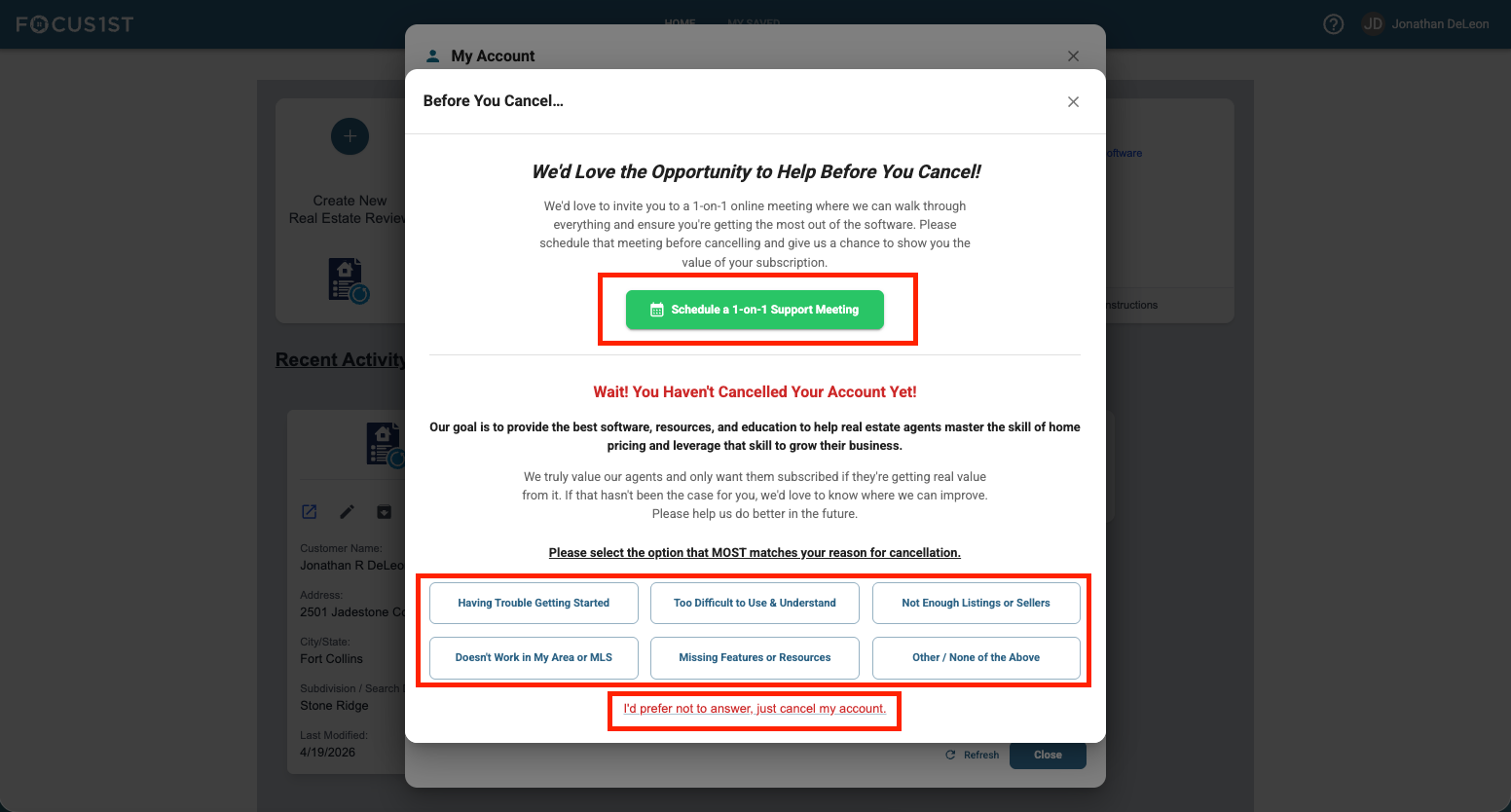
Answer a few questions & get help, or simply click to cancel.
Open Profile & Billing
Click Billing & History Tab
Click Cancel Subscription
OPTIONAL: Get Help