
Help Center > Profile & Billing > How Can I Change My Billing Information?
How Can I Change My Billing Information?
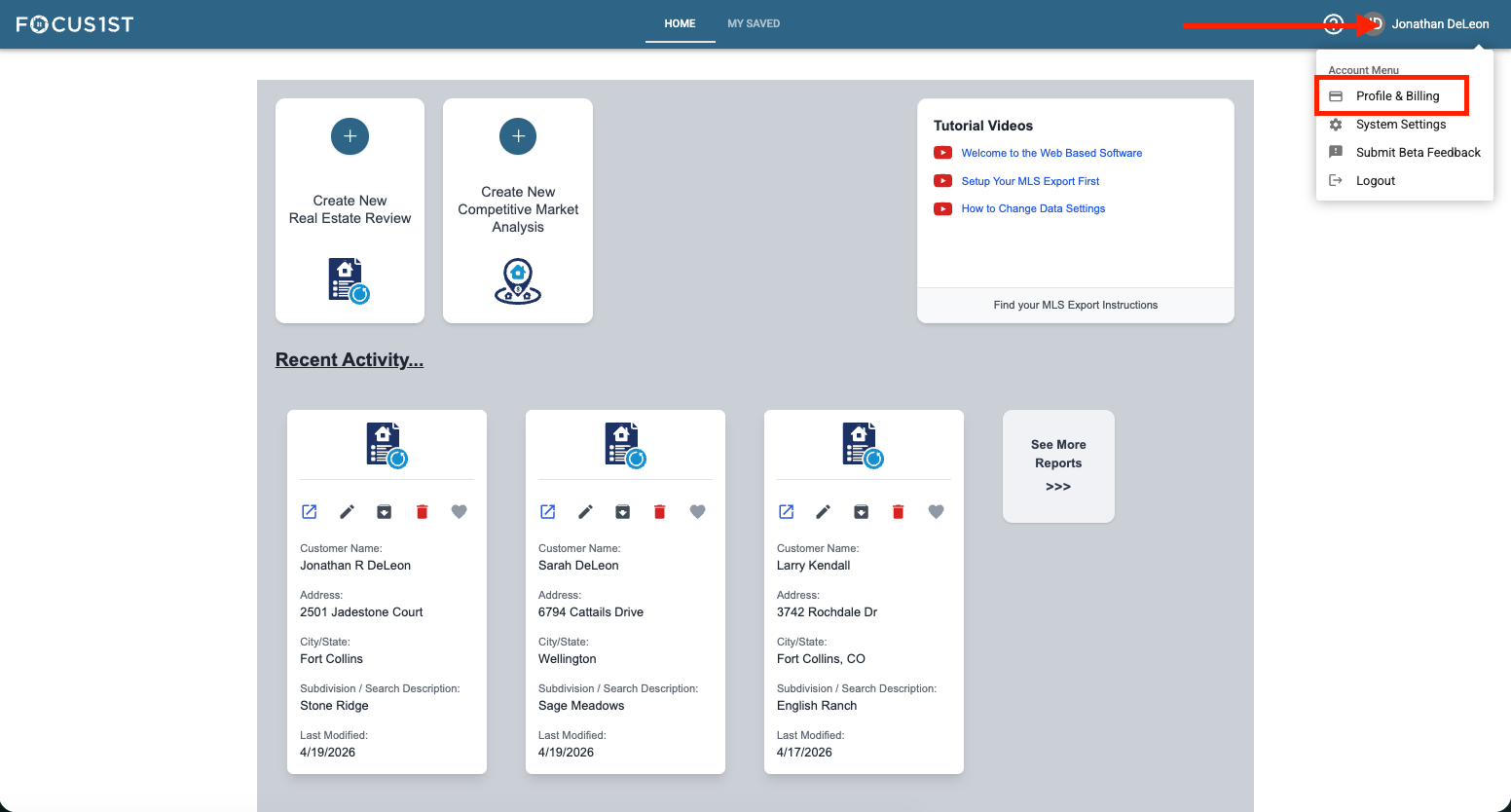
Open your profile menu using the dropdown, clicking your name then the option “Profile & Billing.”
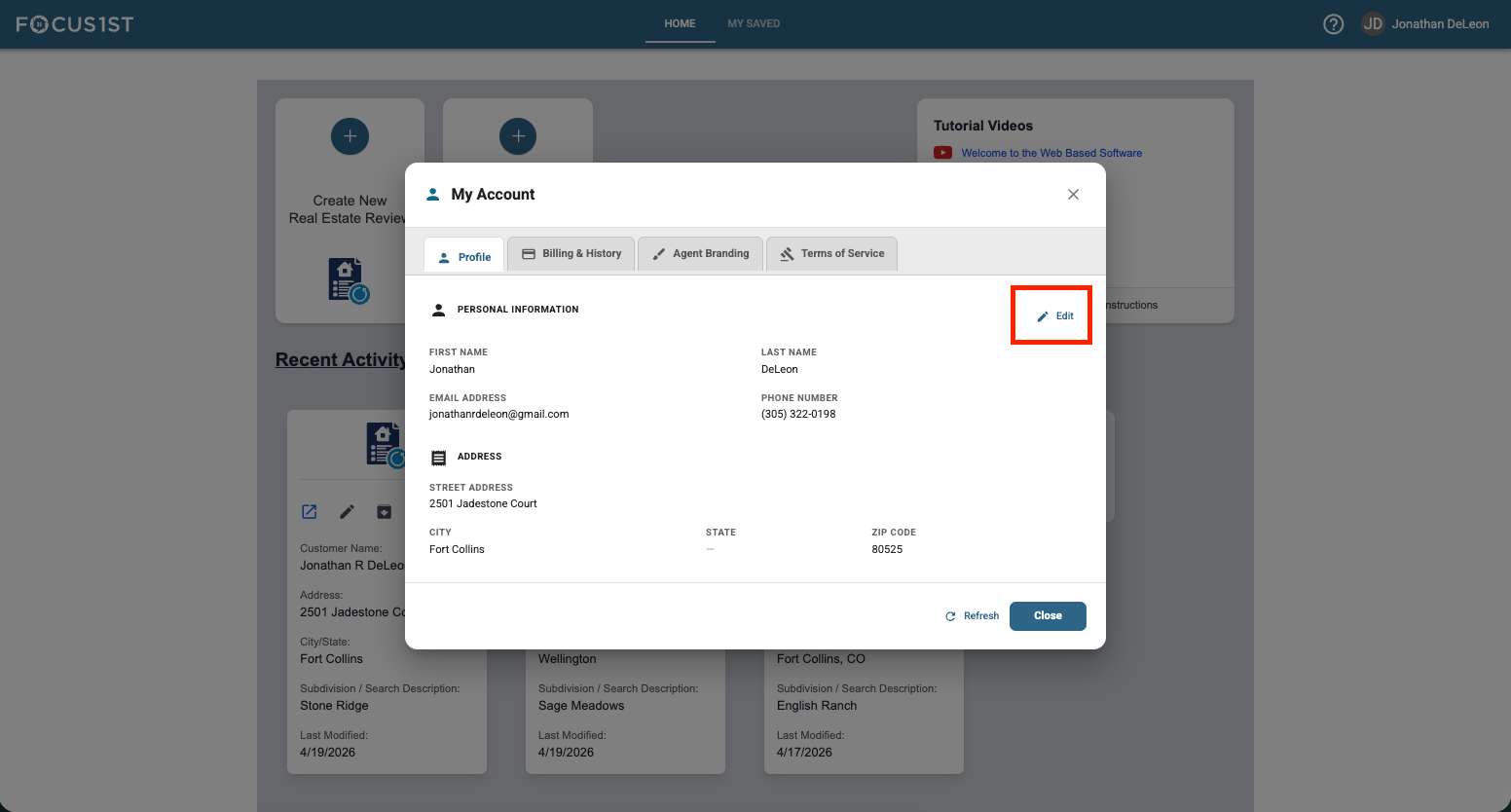
Click the Edit option.
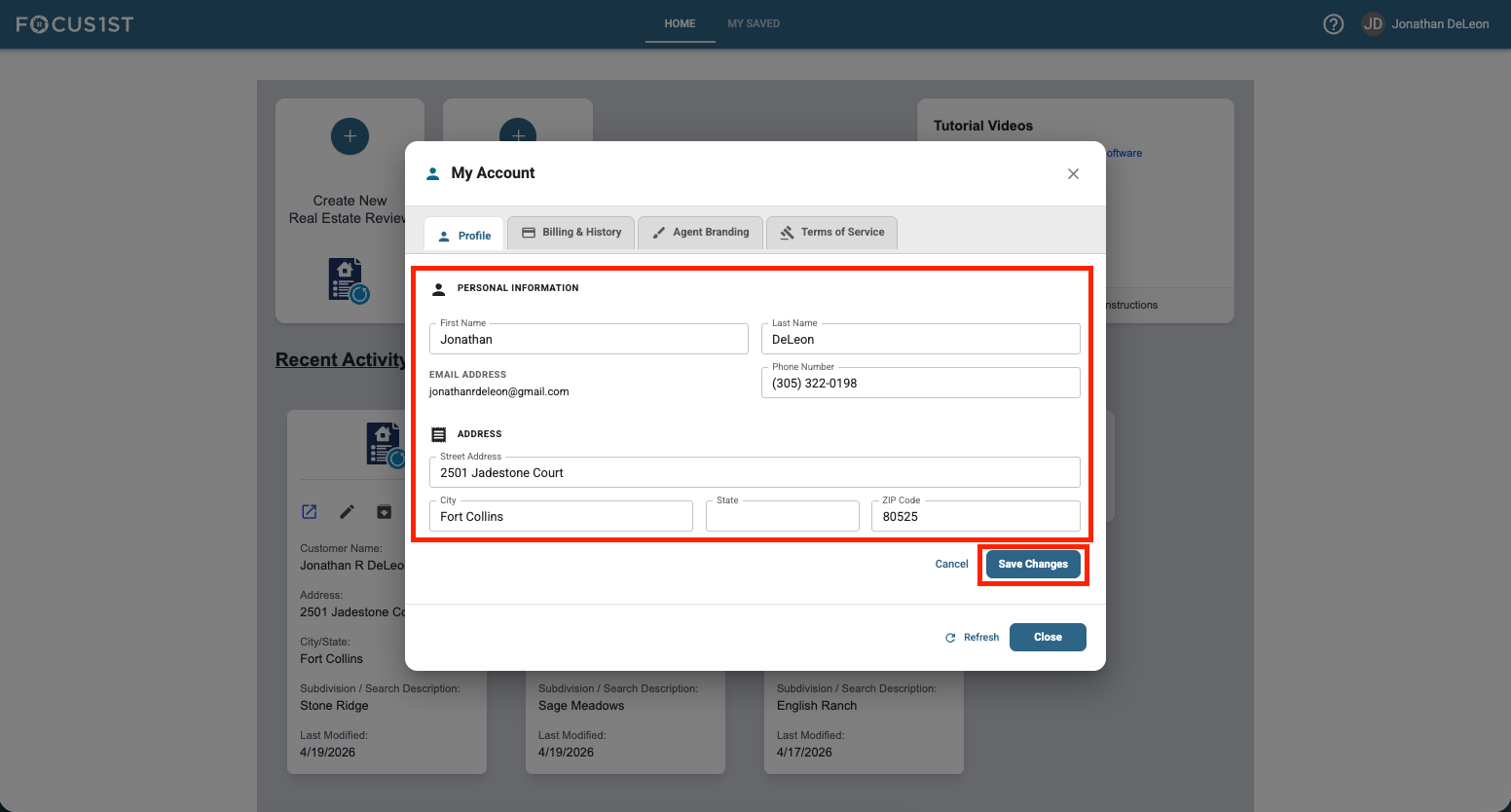
Enter new information and click Save Changes.
Open Profile & Billing
Click Edit
Save Changes