
Help Center > My Saved Area > How to Open the My Saved Area
How to Open the My Saved Area
Option 1: Click the My Saved text in the navigation bar.
Option 2: Click the See More Reports button on the home page.
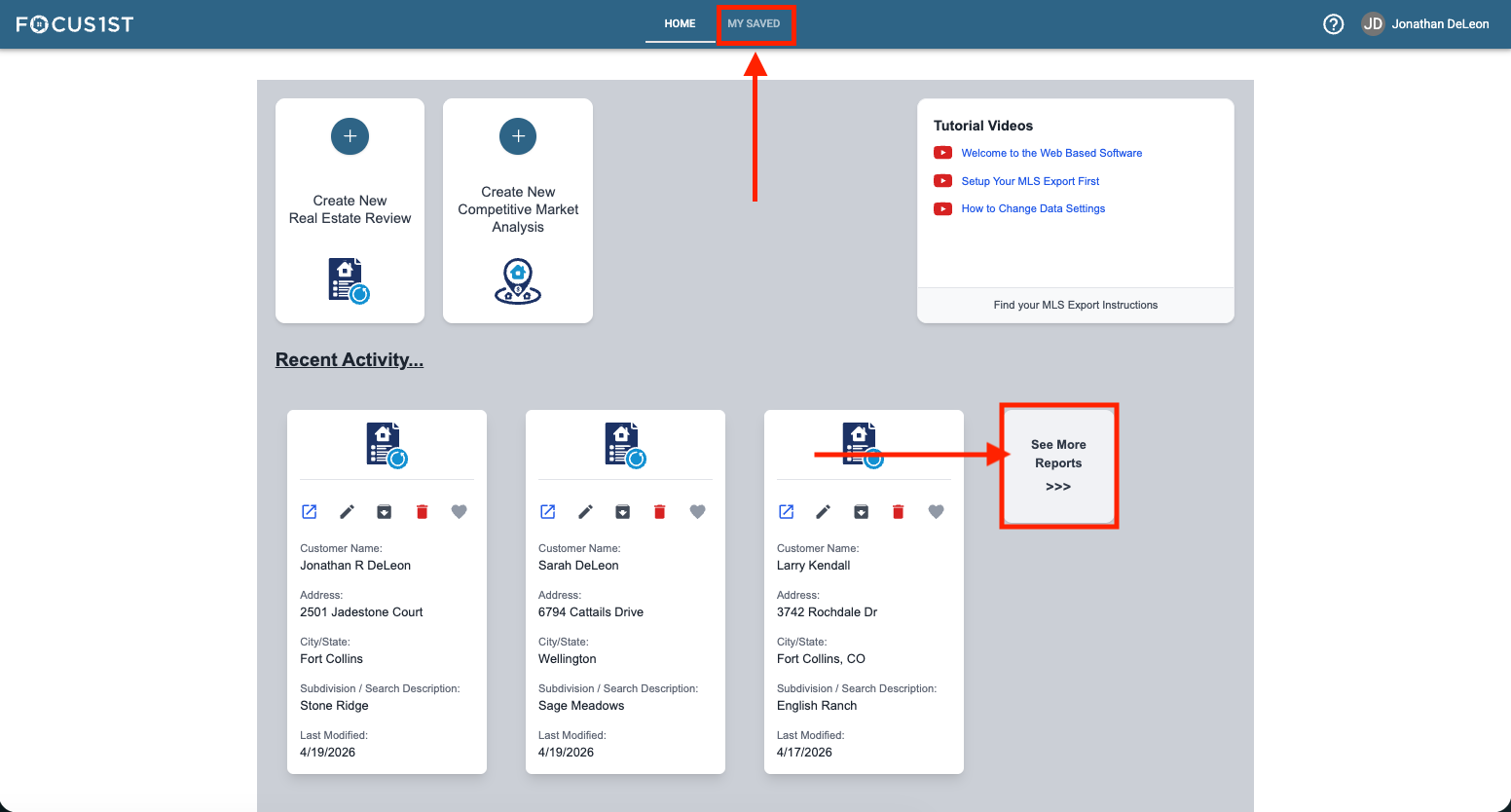
The My Saved area is where you can find all the report files you’ve created and re-access them to make changes or revisit values. There are two ways to open this area.
The Navigation Bar
More Reports Button