
Help Center > Competitive Market Analysis > How to Use the Pricing Map Page
How to Use the Pricing Map Page
The Pricing Map is a great resource to verify that your area search is including only data that is truly relevant to your subject property. It also helps give us a clear picture of lot locations of certain properties and other special features that could affect value.
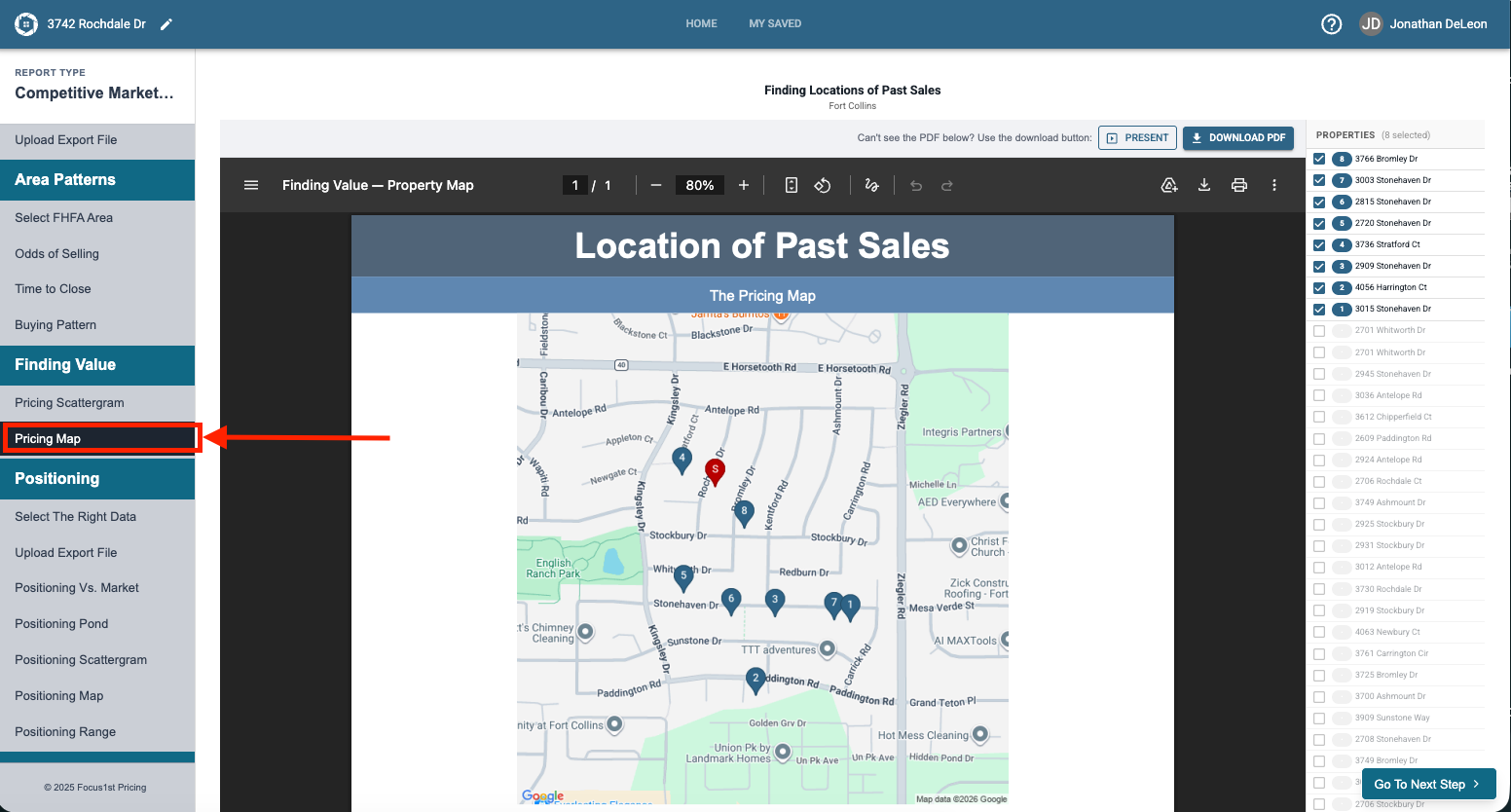
To open the Pricing Map Page click the Pricing Map step in the sidebar.
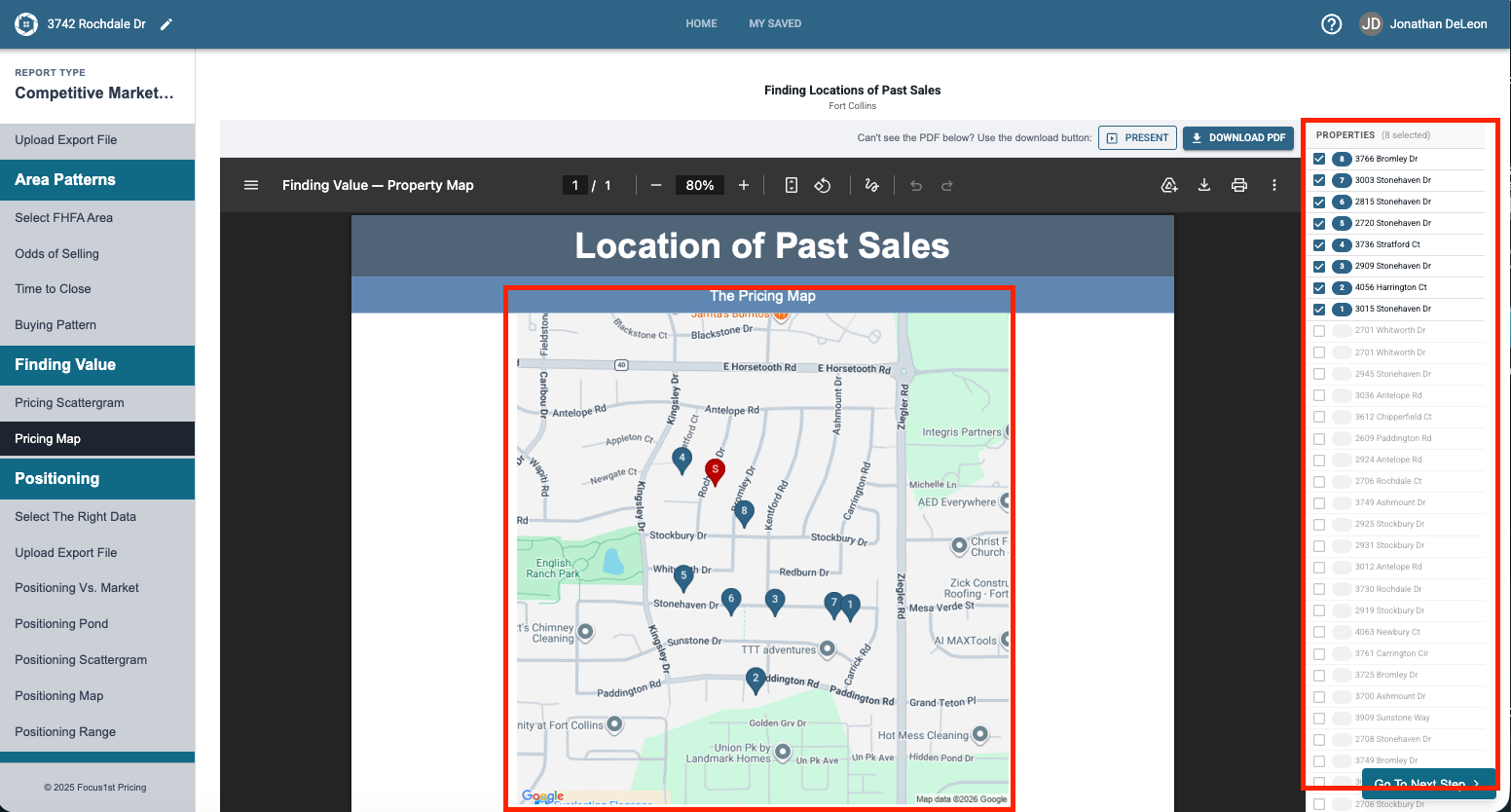
On the map you will see your subject property address pulled from the Report Details, and the location of other sales. On the side you’ll see a table of the properties that are selected as well as those that aren’t.
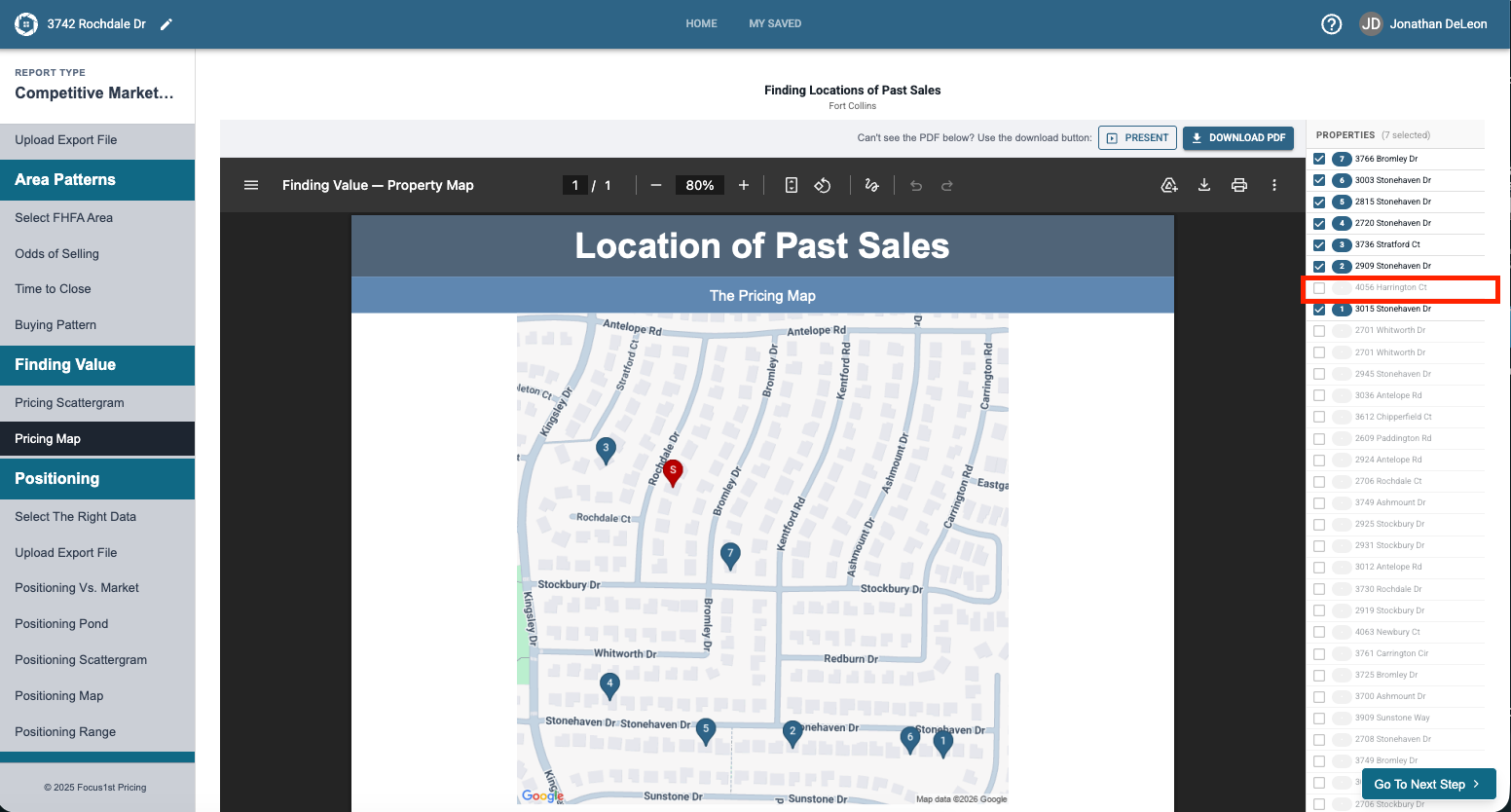
To select or de-select a property from this screen, simply click on the checkbox on the side.
NOTE: This will also change the properties included on the Scattergram. Also, as you remove the properties the page will re-load on its own, it may take a few seconds so remove one at a time. This is also important as it re-labels the map as you remove the data points.
Opening Map Page
How its Made
De-Selecting/Selecting Properties