
Help Center > Competitive Market Analysis > How to Print or Download the Competitive Market Analysis Report
How to Print or Download the Competitive Market Analysis Report
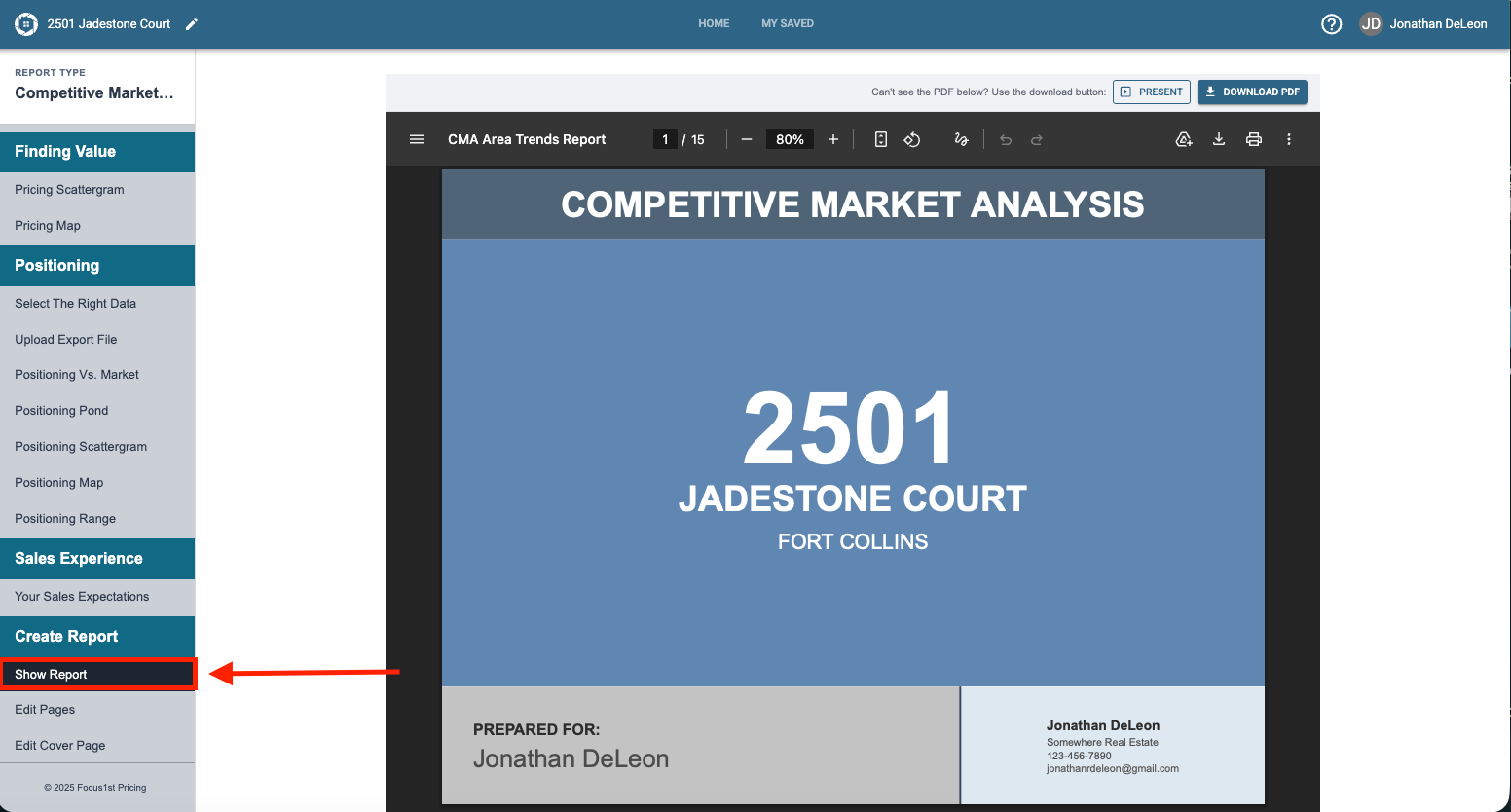
Printing your report is simple thanks to the new integrated controls. Once you have your report pages created and curated printing them is accomplished by opening the full report first on the Show Report step.
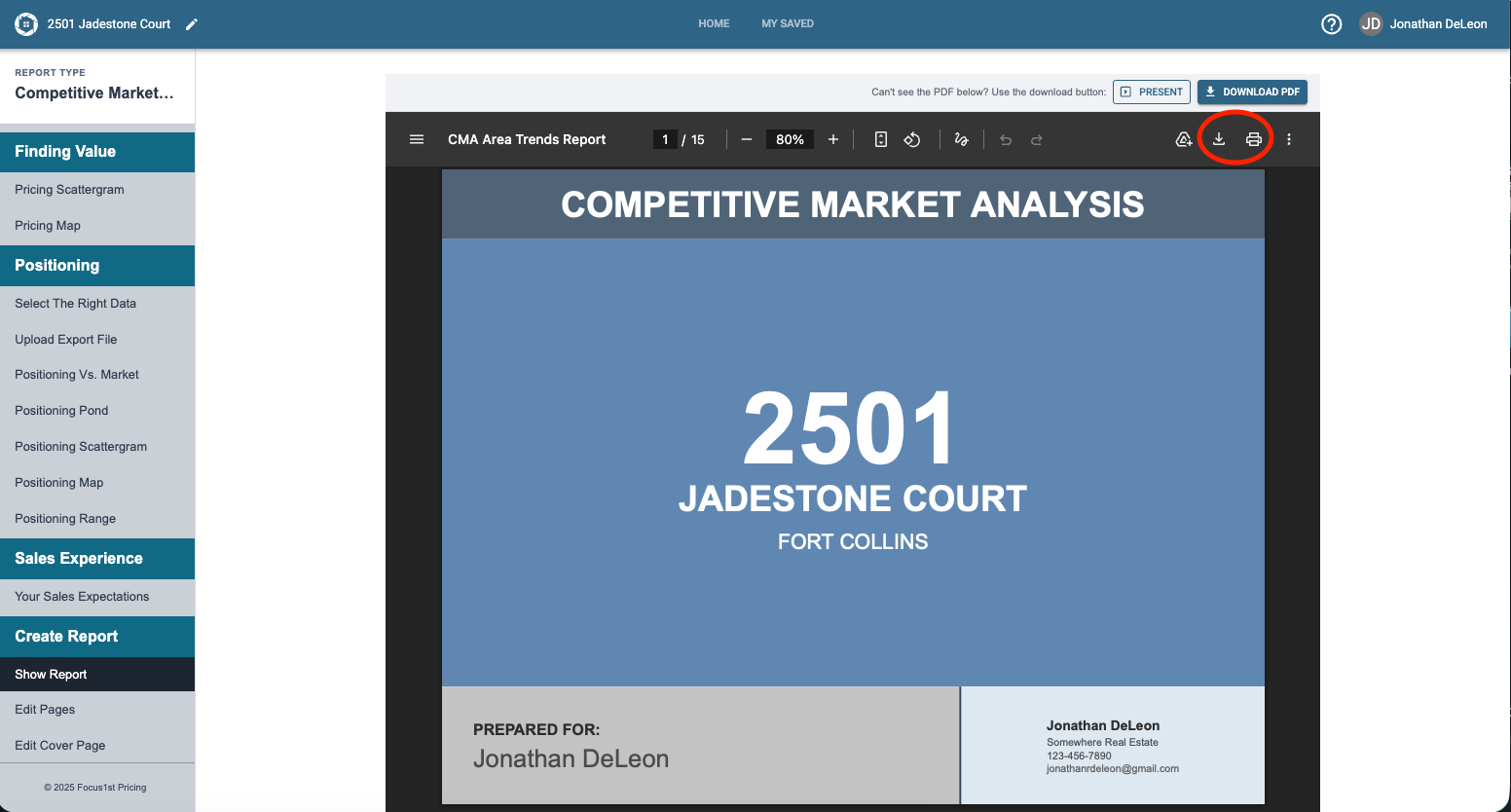
Then in the top right simply click the down arrow to download or the print icon to print.
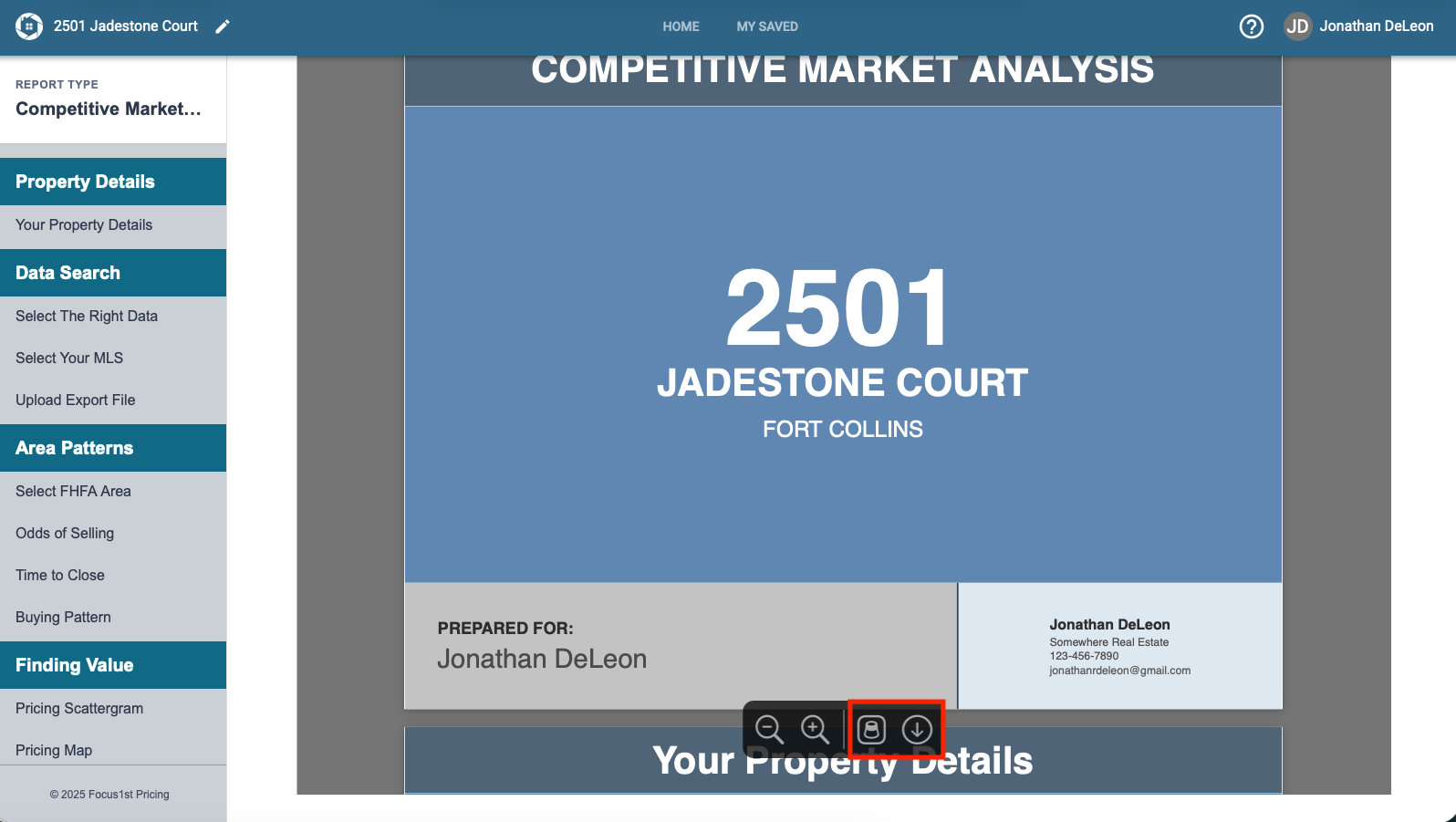
Safari users you’ll notice those controls aren’t there. To download your report you’ll need to hover you cursor over the bottom center of the page and you see two controls. The first one opens the file in preview where you can print from, the second downloads the full report as a PDF.
Open Report
Download or Print
Safari Look