
Help Center > Agent Branding > How Do I Add My Agent Information to the Reports
How Do I Add My Agent Information to the Reports
The reports use your provided login email, name and phone number as the standard display for reports. If you wish to use a different email, phone number or name you can change this information in the Agent Branding tab under your Profile & Billing.
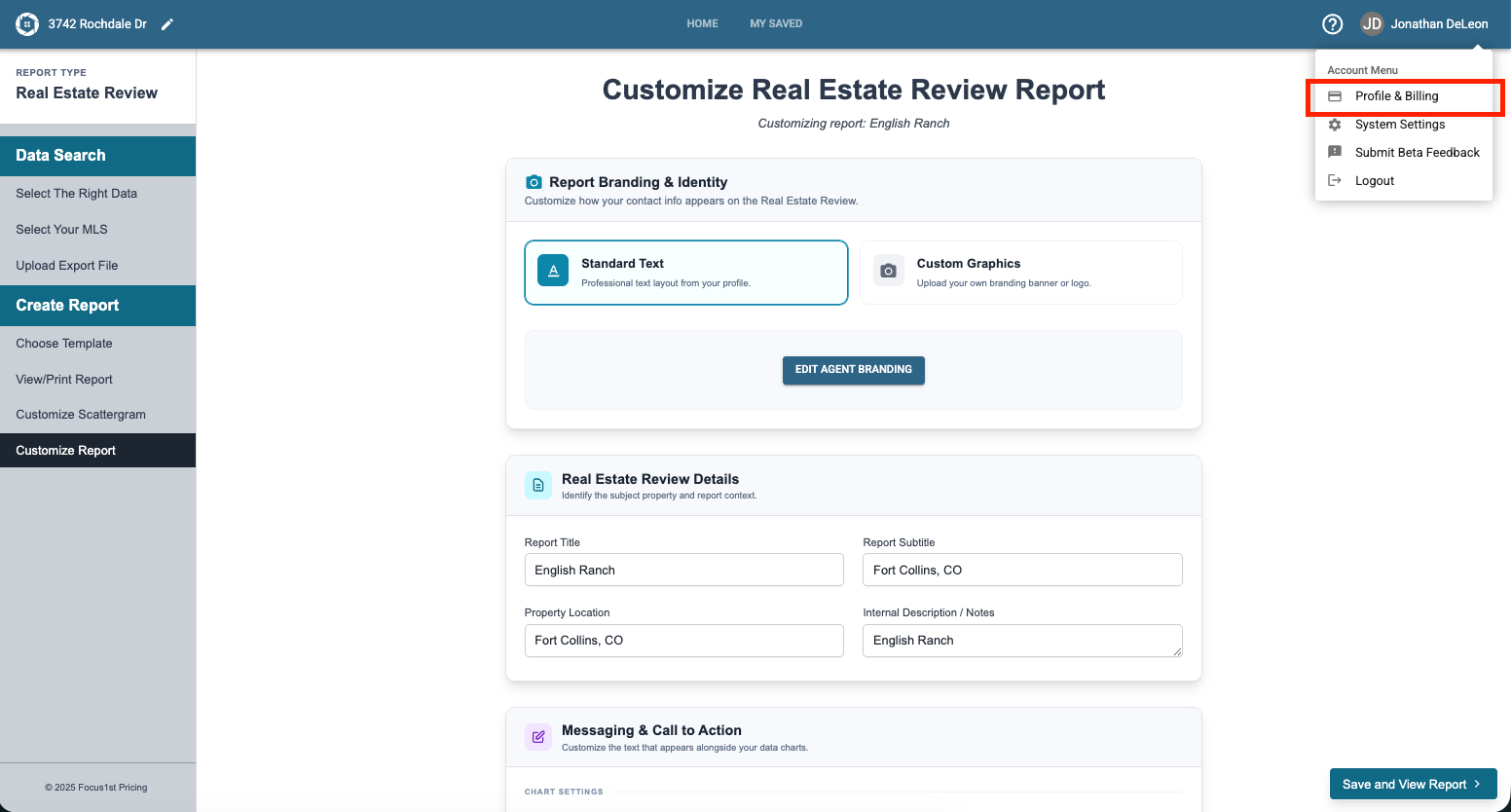
Open the Profile & Billing under your name drop down.
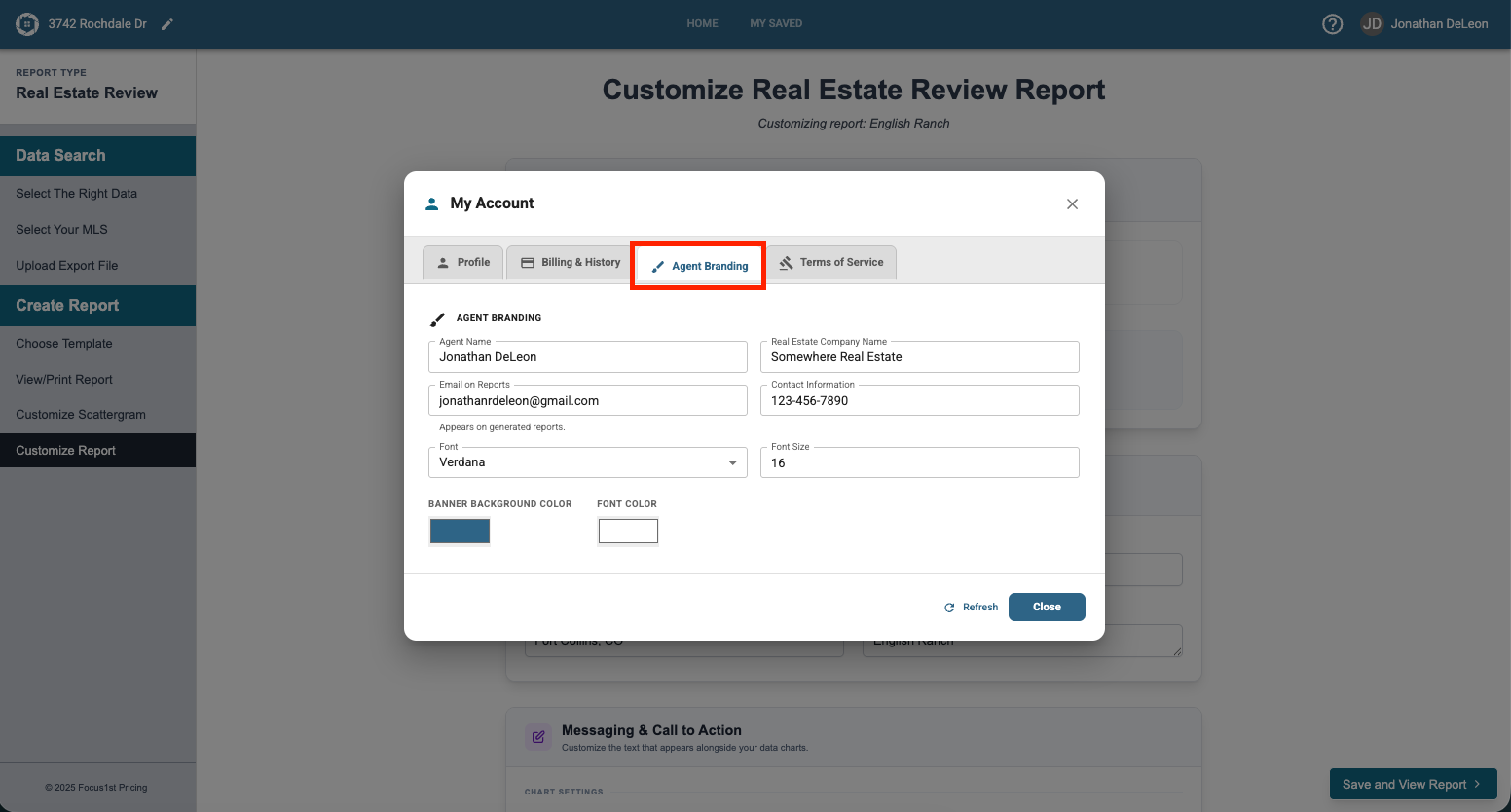
Click the Agent Branding tab.
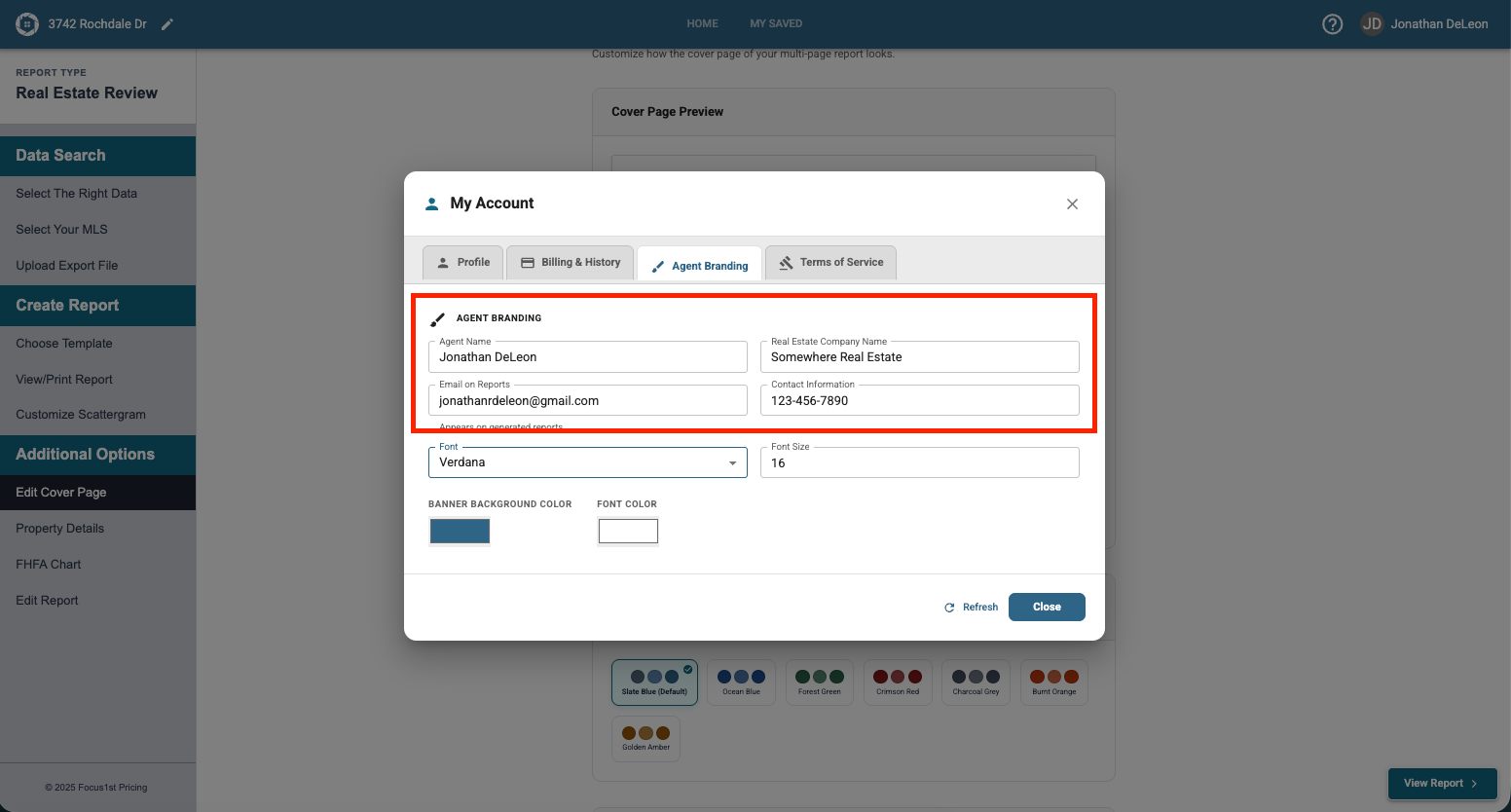
Type your desired information in the boxes below. The changes save automatically, and will reflect on the reports.
Power to the Agent
Search & Export
Upload
Create Reports
Saved Unique to You